Made for Nigerian small businesses

Making Sales Every Day But Still Wondering Where Your Money Goes?

Meet NaijaBiz Assistant — the simple business management app that helps you track sales, monitor expenses, manage customer debts and understand your business numbers, right from your phone.

And when stock or money does not add up, you see it fast.

One payment, no subscriptionWorks on Android & iPhoneOpens without internetNo accounting needed
NaijaBiz Assistant dashboard
Real screen from the app (sample data)
Be honest with yourself

A business that does not write things down cannot see its leaks.

You work hard. Customers come, money moves, and at the end of the month you still cannot say how much you made, where some stock went, or who still owes you. This is not a lack of effort. It is a lack of a simple system.

📦

Stock that quietly disappears

Items go missing a little at a time. Without records, you only notice when it is too late to find out how.

💸

Money you cannot account for

Sales were made, but the cash does not match. Was it spent, unrecorded, or taken?

📝

Debts that go cold

Goods given on credit are forgotten, or given to people who never pay.

🏷

Prices that ignore your costs

Transport, packaging and loan costs quietly eat the profit.

🛍

Business and personal money mixed

It becomes impossible to see whether the business is really working.

There is a simpler way

Write every sale down once, in seconds. Let the app do the counting, the remembering and the checking.

Spot the gap

When something does not add up, you will know.

Theft and carelessness are common in small businesses, and most owners find out too late. NaijaBiz Assistant does not accuse anyone. It simply keeps a clear, dated record, so a gap shows up quickly instead of staying hidden.

1The app always knows what stock you should have

Every sale reduces stock automatically. If the app says 10 packs and your shelf has 7, you have found a gap the same day.

2Every stock change leaves a trail

Manual stock changes are recorded with the date, the old and new number, and the reason typed in.

3Every sale has a date, time and price

Compare the day's total with the cash, transfers and POS you actually received. Lower prices for the same item show up on their own line.

4Every credit is written down

Goods given on credit have a name, an amount and a due date. Overdue accounts are flagged in red.

5Count the shelf and the app compares

Type in what you count. The app shows what is missing or extra and what it is worth at cost.

6Deletions are written down

If a sale, expense or product is deleted, the app keeps a dated record you cannot remove from inside the app.

Stock history showing a shelf count that found missing packs
Stock history: a shelf count found 3 missing packs, written down with the date (sample data)
Example. On Friday you record the day's sales. The app expects 10 packs of milk. On Saturday you count the shelf and find 7. You enter the new count with the reason, and the app logs the date, the change from 10 to 7, and your note. You now know exactly when the gap was found and can ask questions while it is fresh.
Please be clear about this: no app can stop dishonesty by itself, and NaijaBiz Assistant does not claim to. It makes gaps visible quickly. The records live on the phone where the app is installed, so keep the app on your own phone, or check it yourself every day. Even the deleted-records list cannot stop someone from wiping the whole app, so the phone itself matters.
No stress

You do the selling. The app does the counting.

A sale takes seconds

Tap, pick the item, enter the quantity, save. No typing the same prices again.

Stock updates itself

You never subtract anything by hand.

Debts remember themselves

Part payments and credit are tracked per customer, with one-tap reminders.

Profit is calculated for you

Revenue, cost of goods, expenses and net profit, in the right order.

Reports build themselves

Daily, weekly and monthly, plus a PDF you can download.

No accounting knowledge

Plain English everywhere, with a Help Me Understand section and naira examples.

Take the tour

Every screen of the app, explained.

These are real screens from the app, shown with sample data for a provision store. Nothing here is a mock-up of something that does not exist.

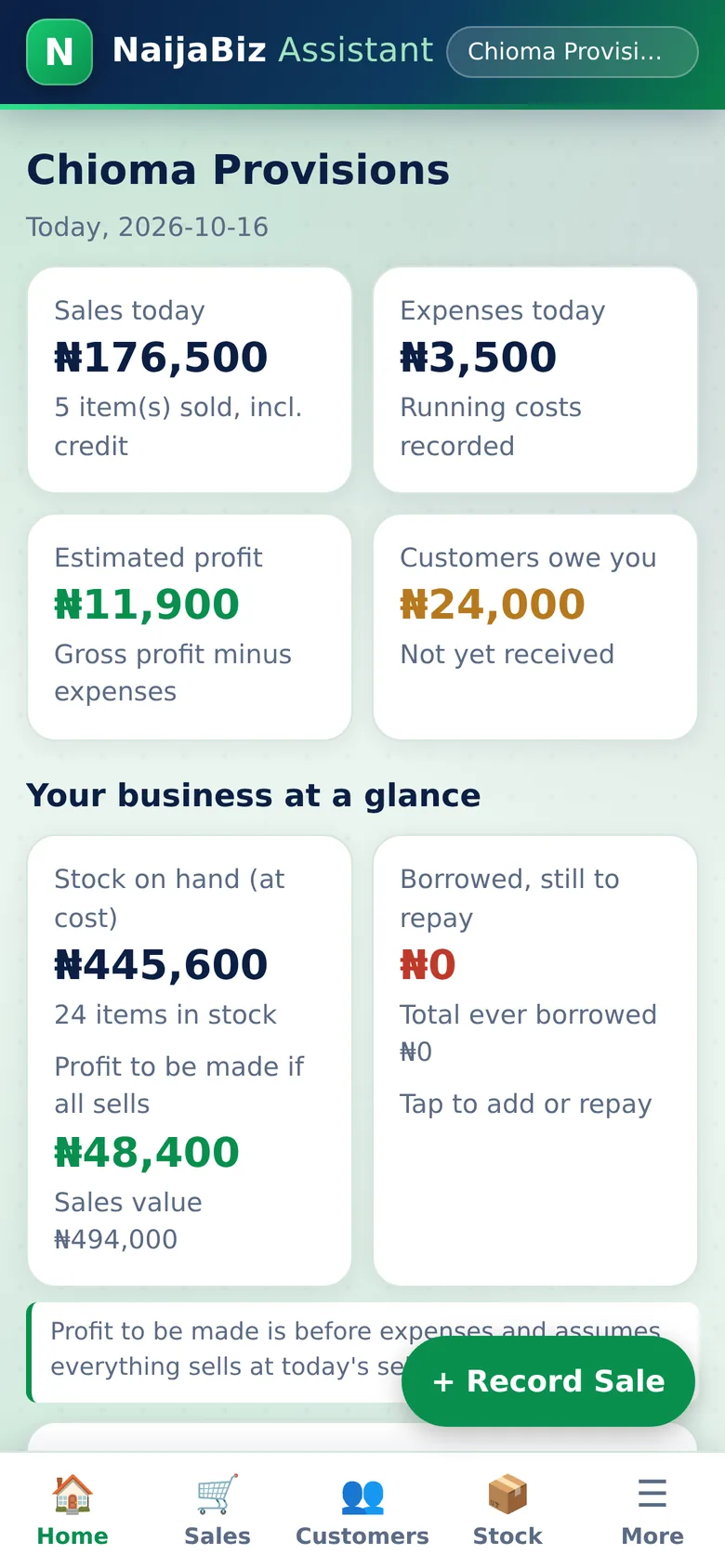
Your Business Dashboard screen of NaijaBiz Assistant
Real screen from the app (sample data)
1. Dashboard

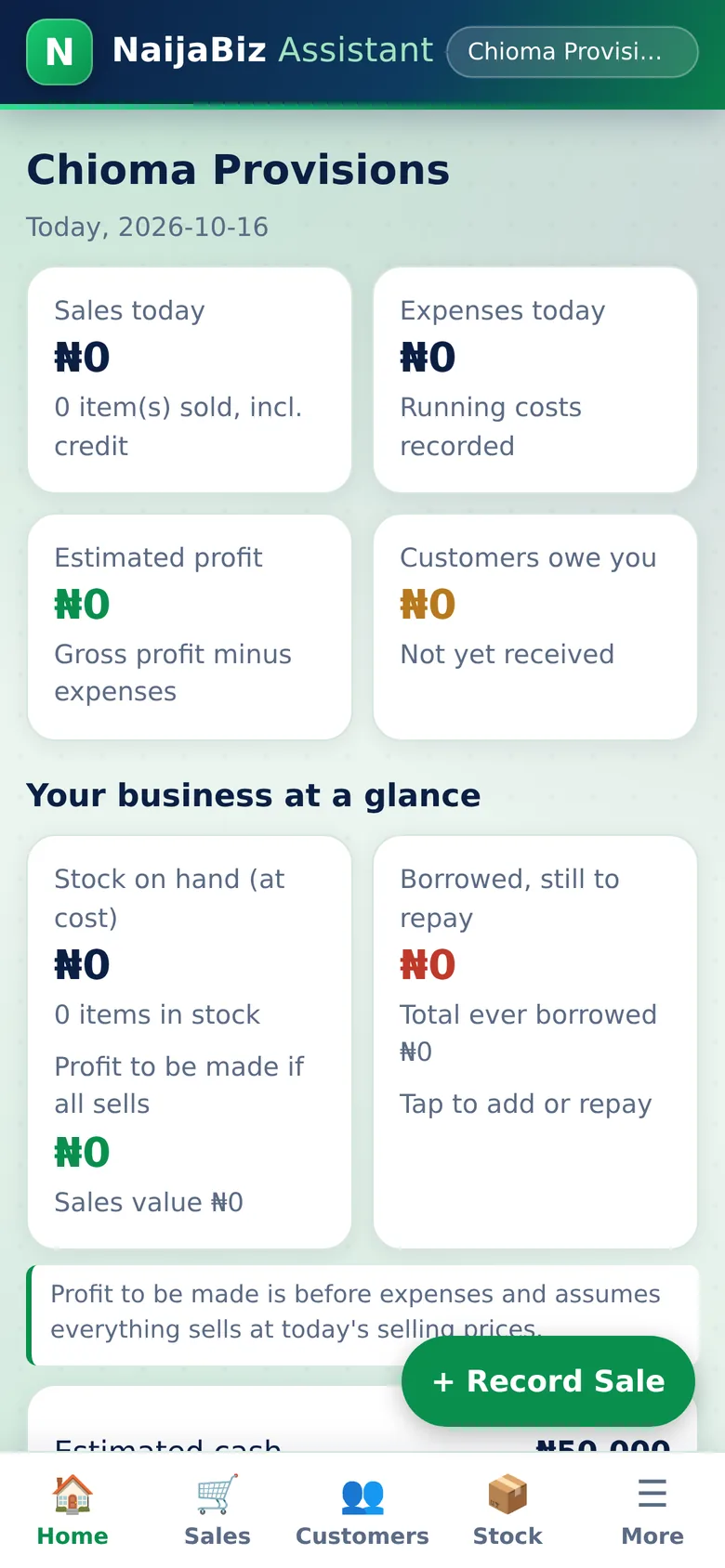
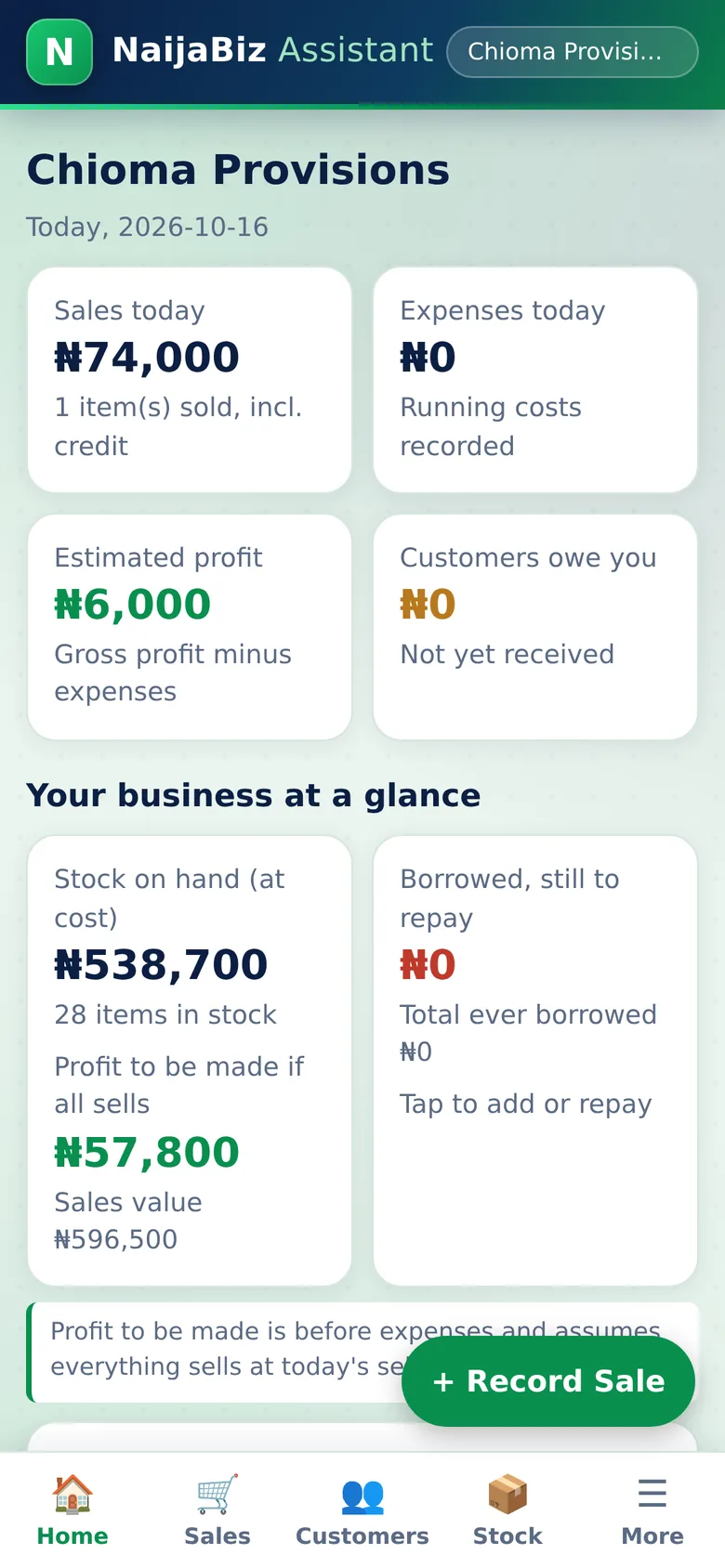
Your Business Dashboard

Open the app and know where you stand, in five seconds.

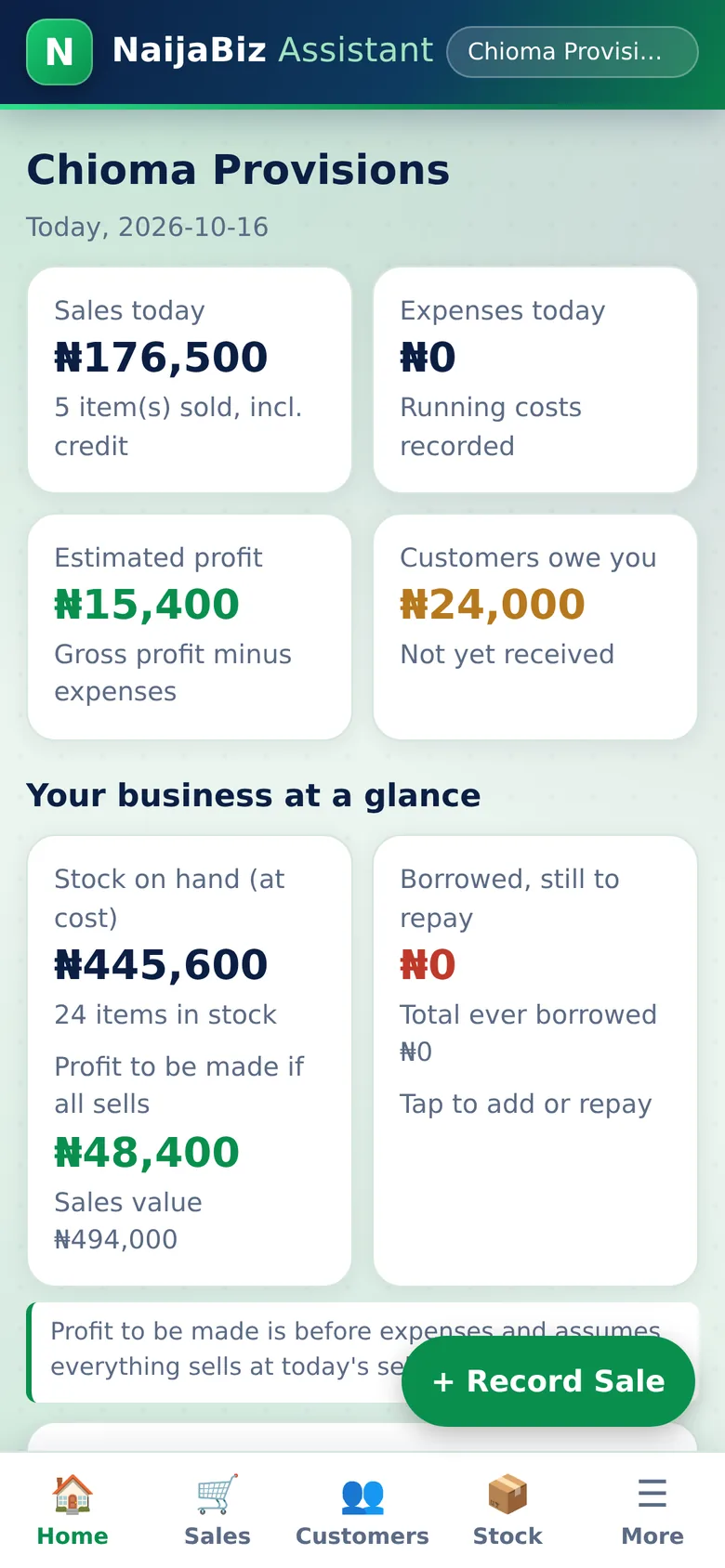
No digging through notebooks. The first screen shows today's sales, today's expenses, your estimated profit, and how much customers still owe you. Every number has a plain-English label so a first-time user understands it. A red alert lists items that are running out.

  • Sales today, with how many items were sold
  • Expenses recorded today
  • Estimated profit (sales minus what the goods cost, minus expenses)
  • Money customers owe you
  • Low-stock warnings you can tap to fix
Why this protects your money: Profit is not guessed. If a sale has no cost price the app tells you the profit is incomplete, so you never trust a wrong number.
Business at a Glance screen of NaijaBiz Assistant
Real screen from the app (sample data)
2. Full picture

Business at a Glance

Everything about the business on one screen.

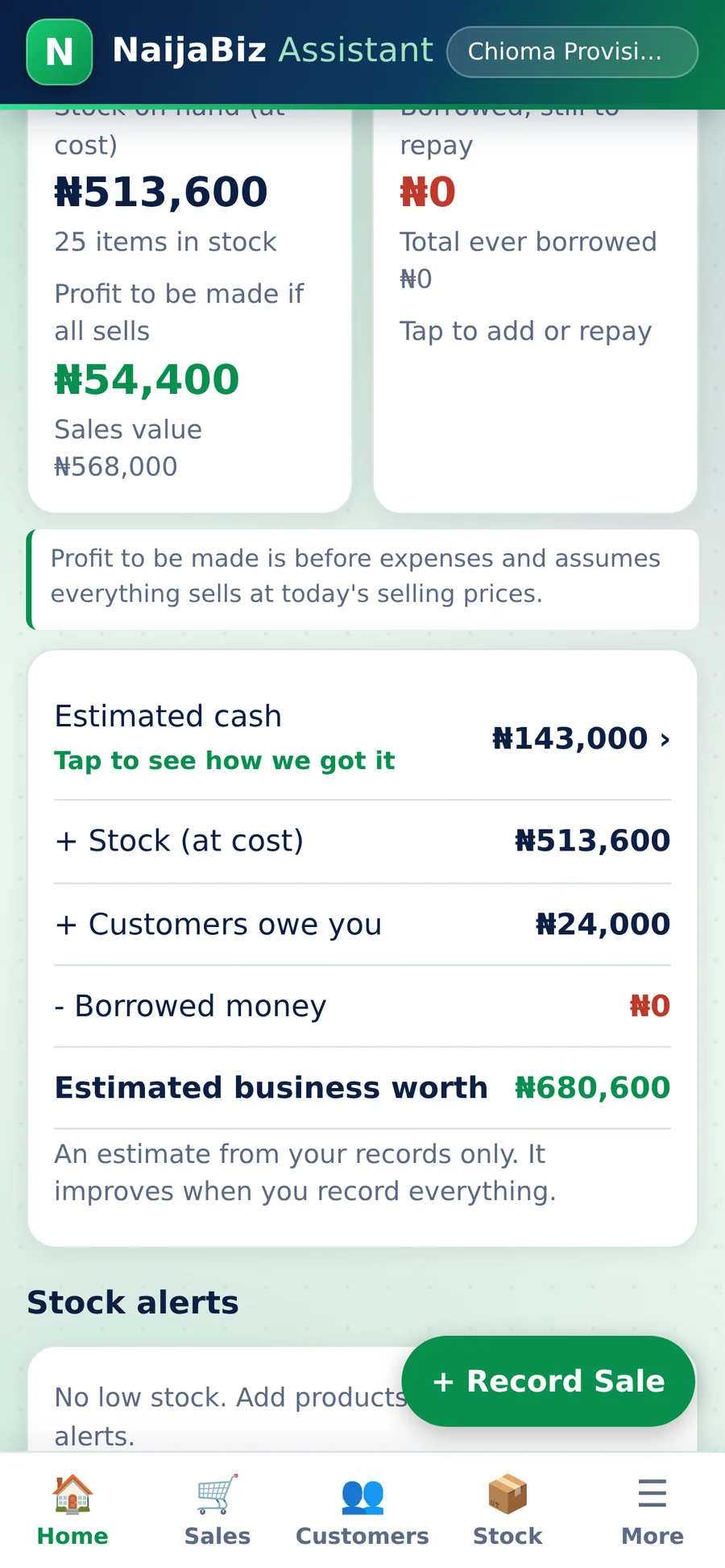
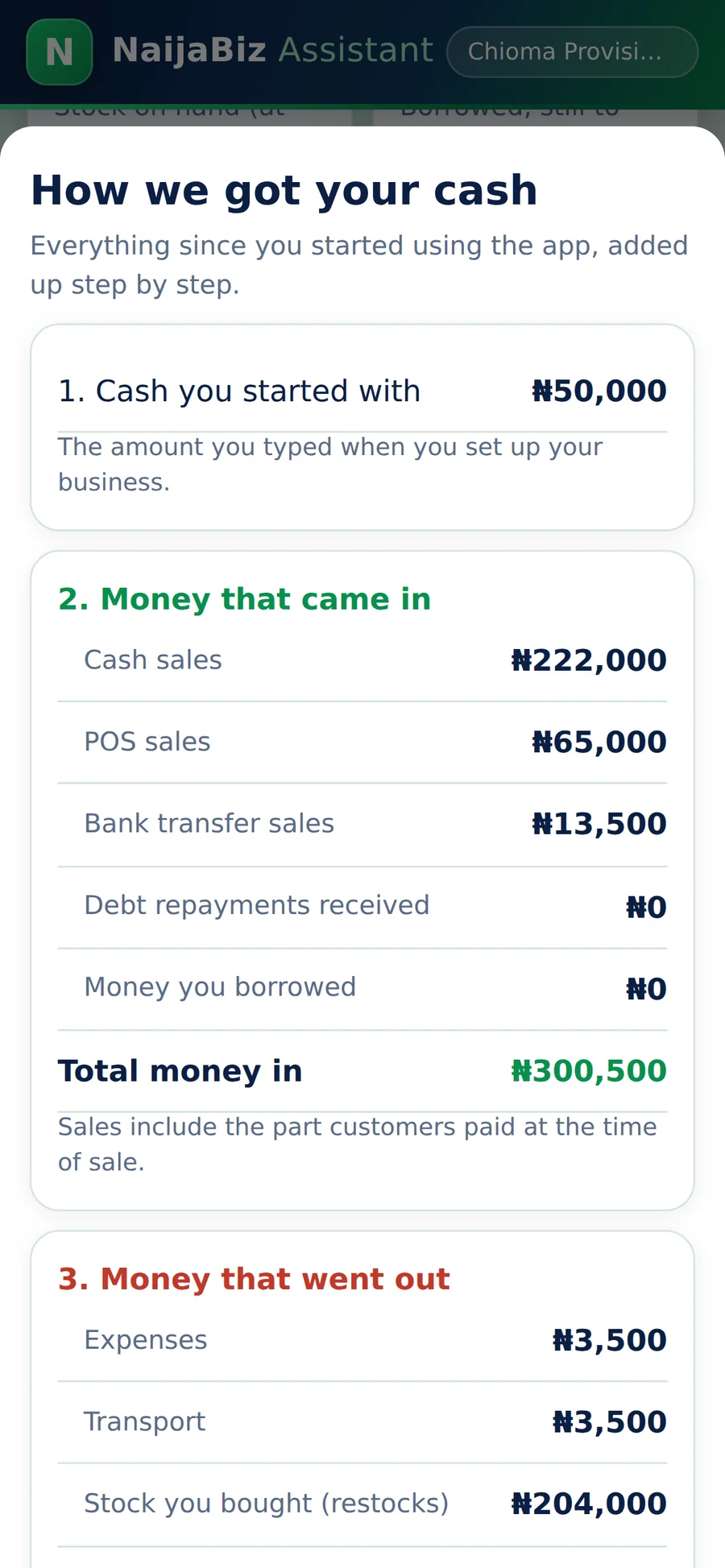
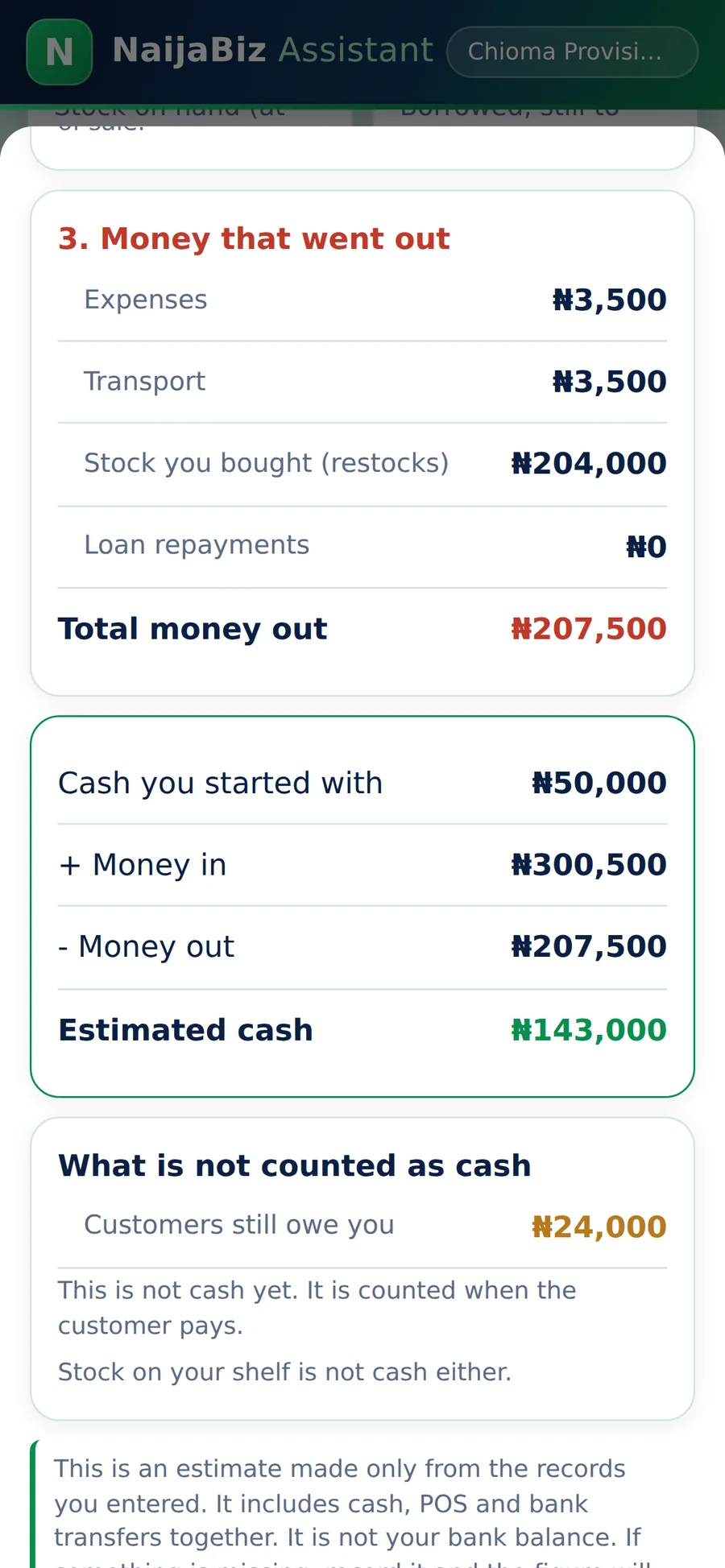
Scroll down the home page and see the full picture: the value of the stock on your shelves, the profit you will make if it all sells, the money you borrowed to buy it, and your estimated cash. The app adds cash, stock and customer debts, subtracts what you owe, and shows your estimated business worth.

  • Stock on hand at cost, and number of items
  • Profit to be made if all stock sells at today's prices
  • Borrowed money still to repay
  • Estimated cash, debts owed to you and estimated business worth
Why this protects your money: You stop mixing up stock, cash and profit. Money tied up on the shelf is not cash in your pocket, and the app shows the difference clearly.
Record a Sale in Seconds screen of NaijaBiz Assistant
Real screen from the app (sample data)
3. Sales

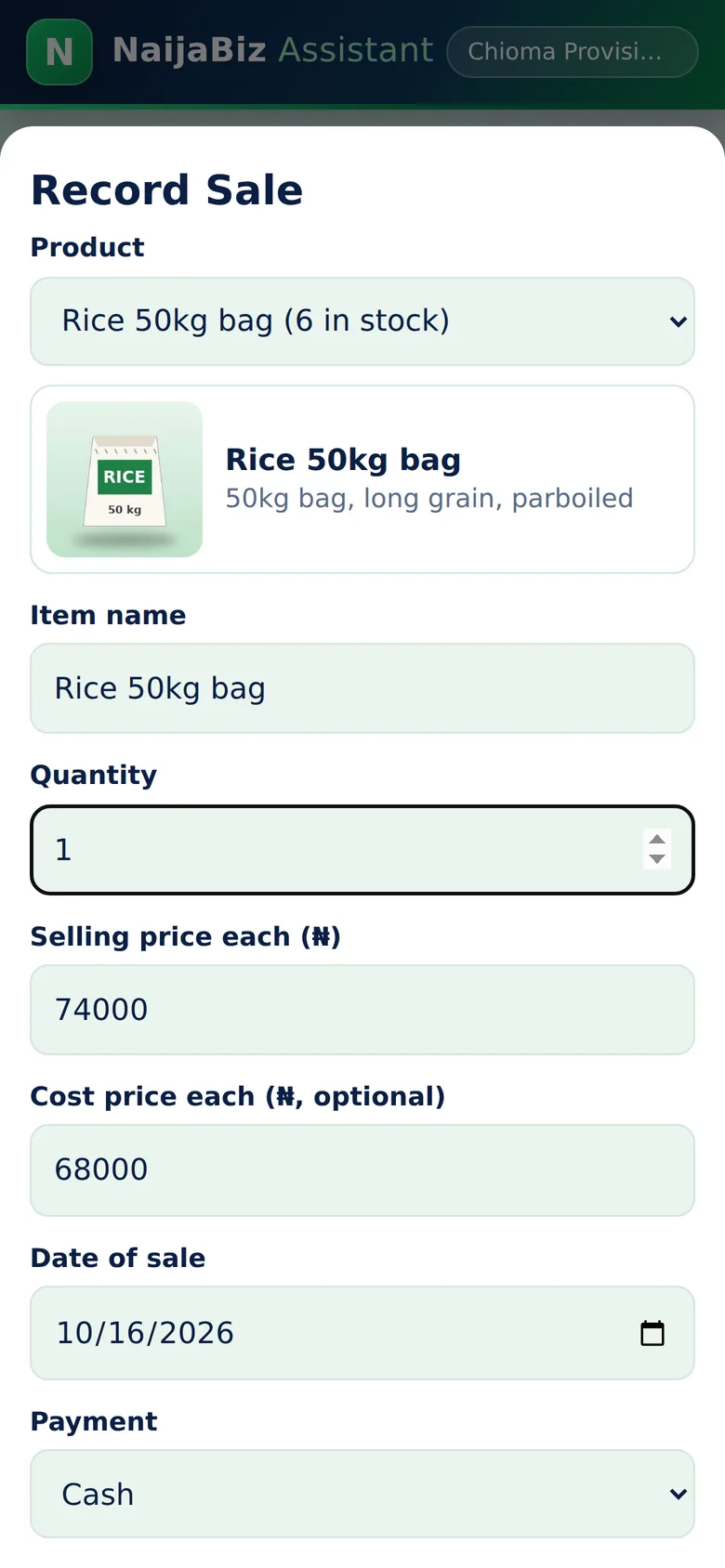
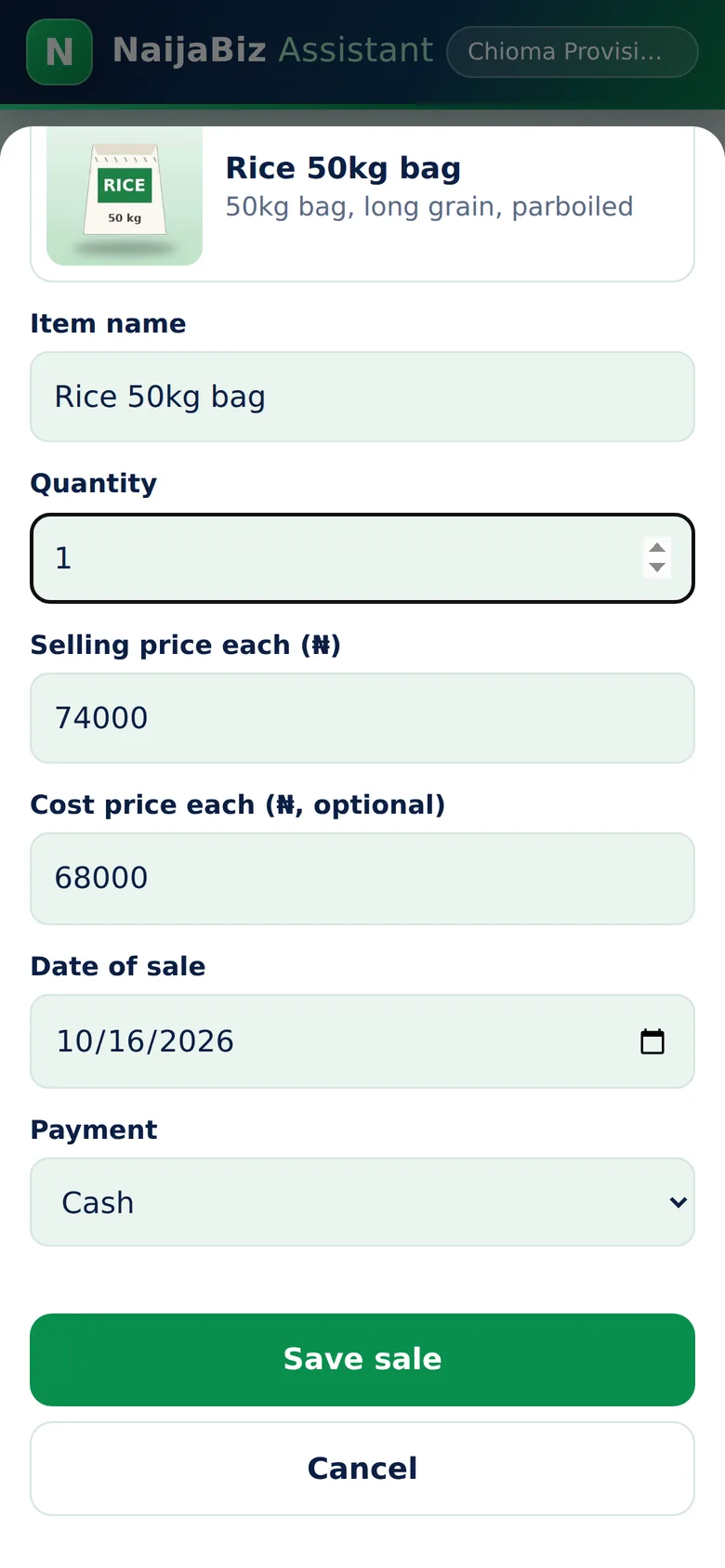
Record a Sale in Seconds

Pick the item. Enter the quantity. Save. Done.

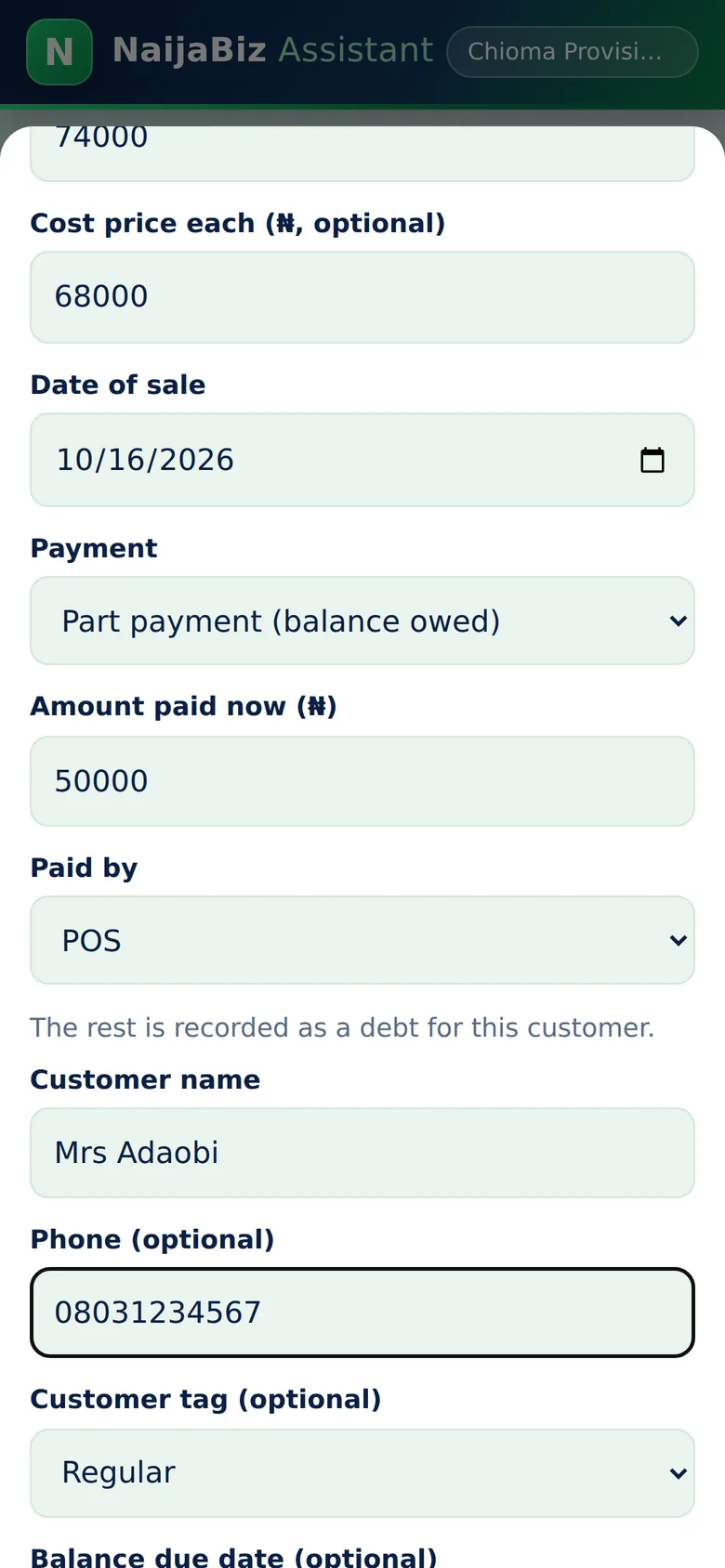
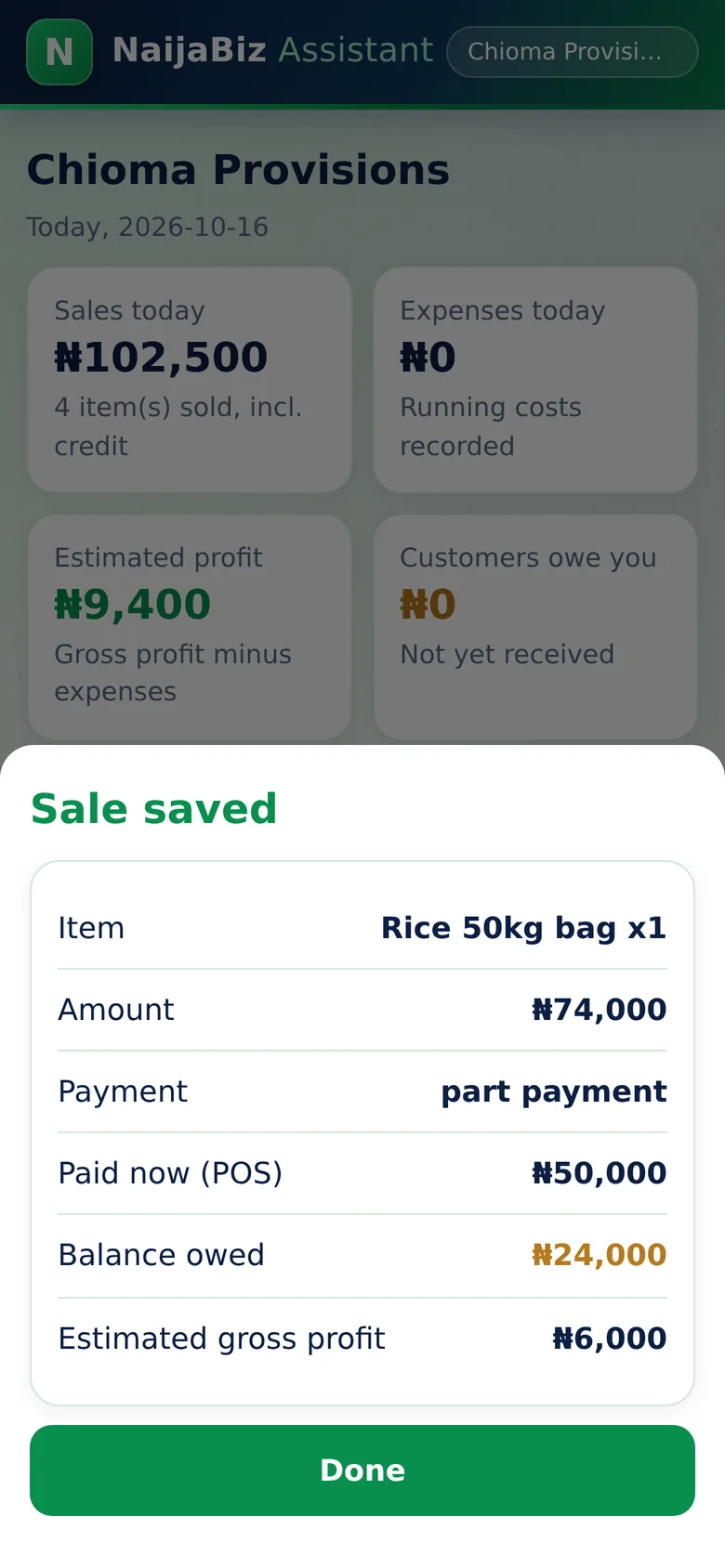
Choose a product and the price and cost fill in by themselves. Choose cash, transfer, POS, credit, or part payment. If a customer pays part now, enter the amount paid and the balance becomes their debt automatically, with a tag such as Regular or Wholesale. You can also record a sale for a day you missed.

  • Products or services, any quantity
  • Cash, bank transfer, POS, credit or part payment
  • Customer name, phone, tag and balance due date
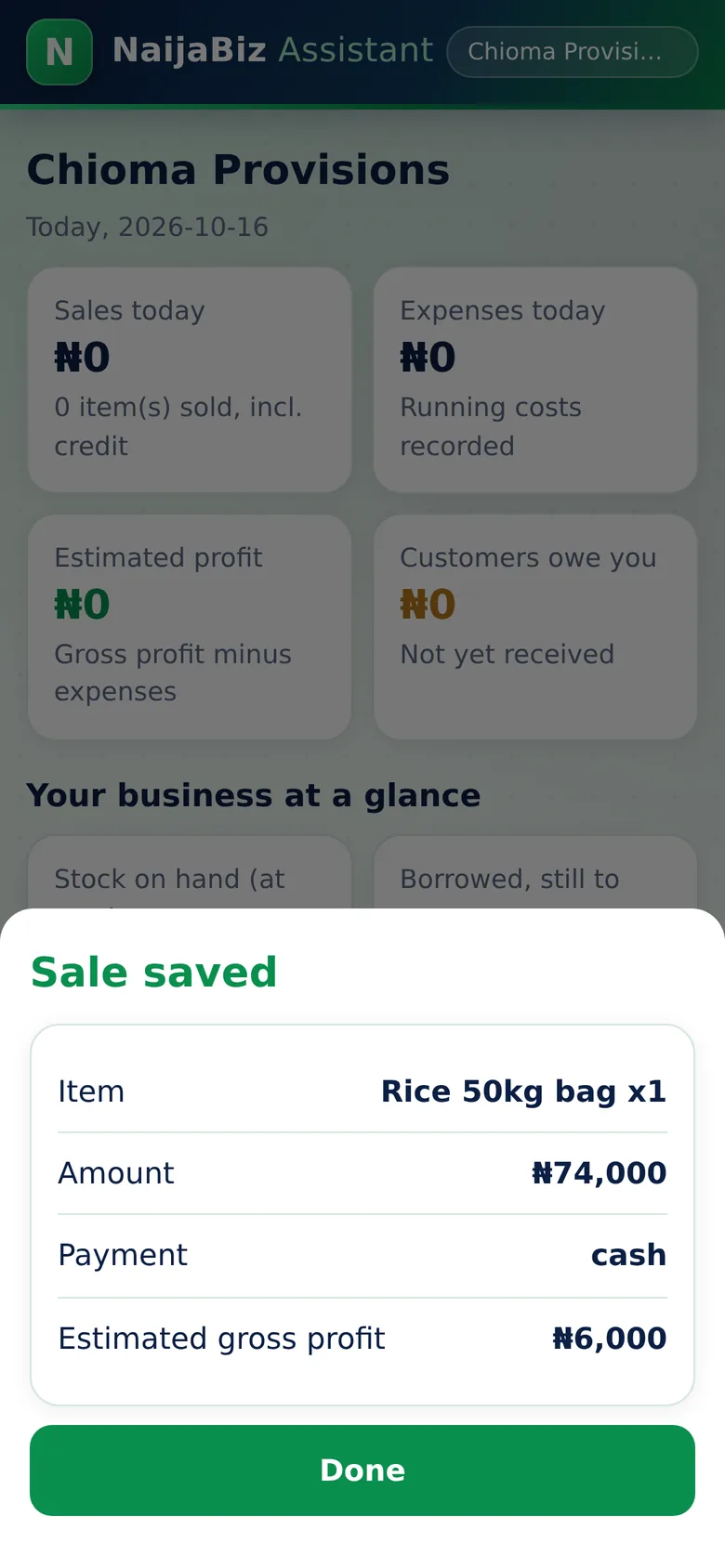
  • Stock reduces automatically after the sale
  • Instant summary showing the amount and your gross profit
Why this protects your money: Every sale is saved with its date, time and price. Nothing depends on memory, and stock cannot quietly disappear from the records.
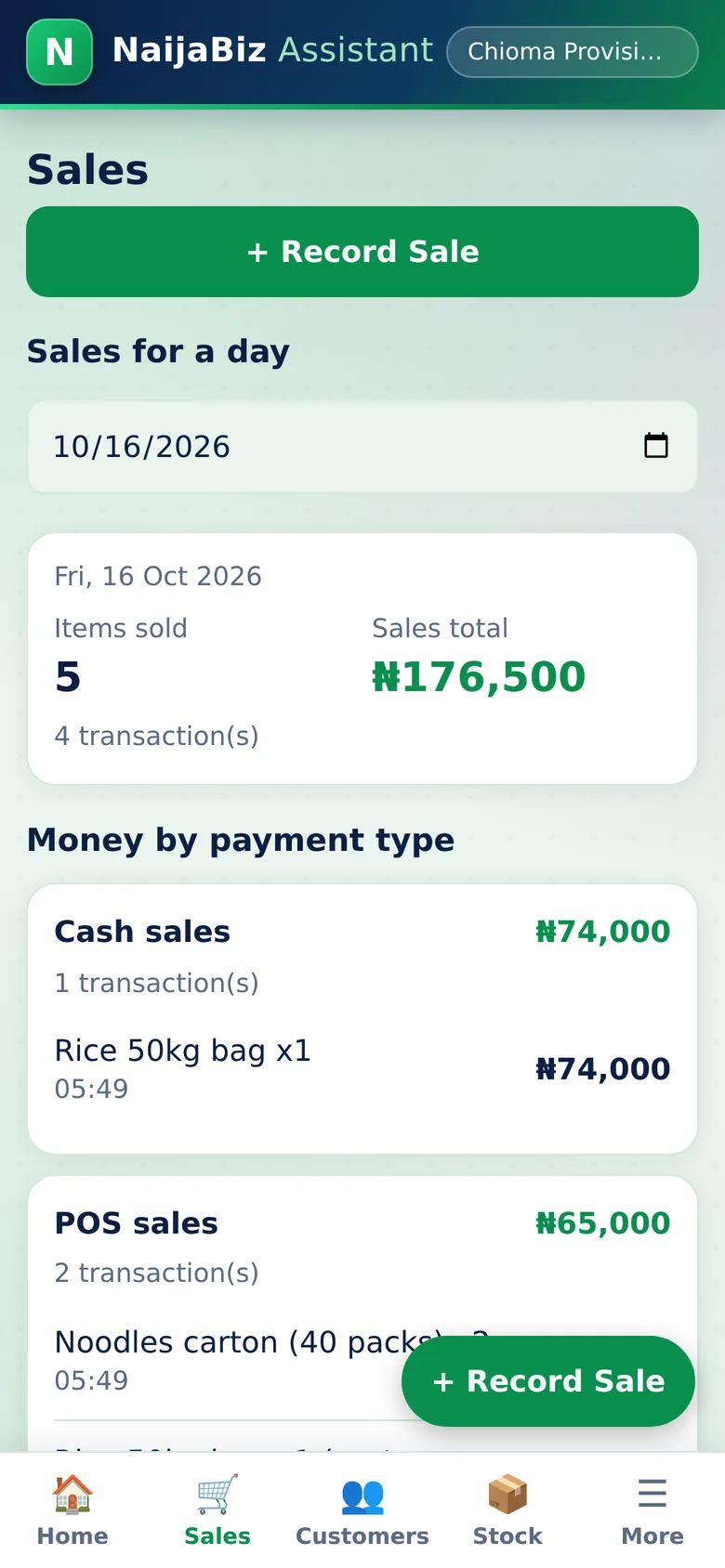
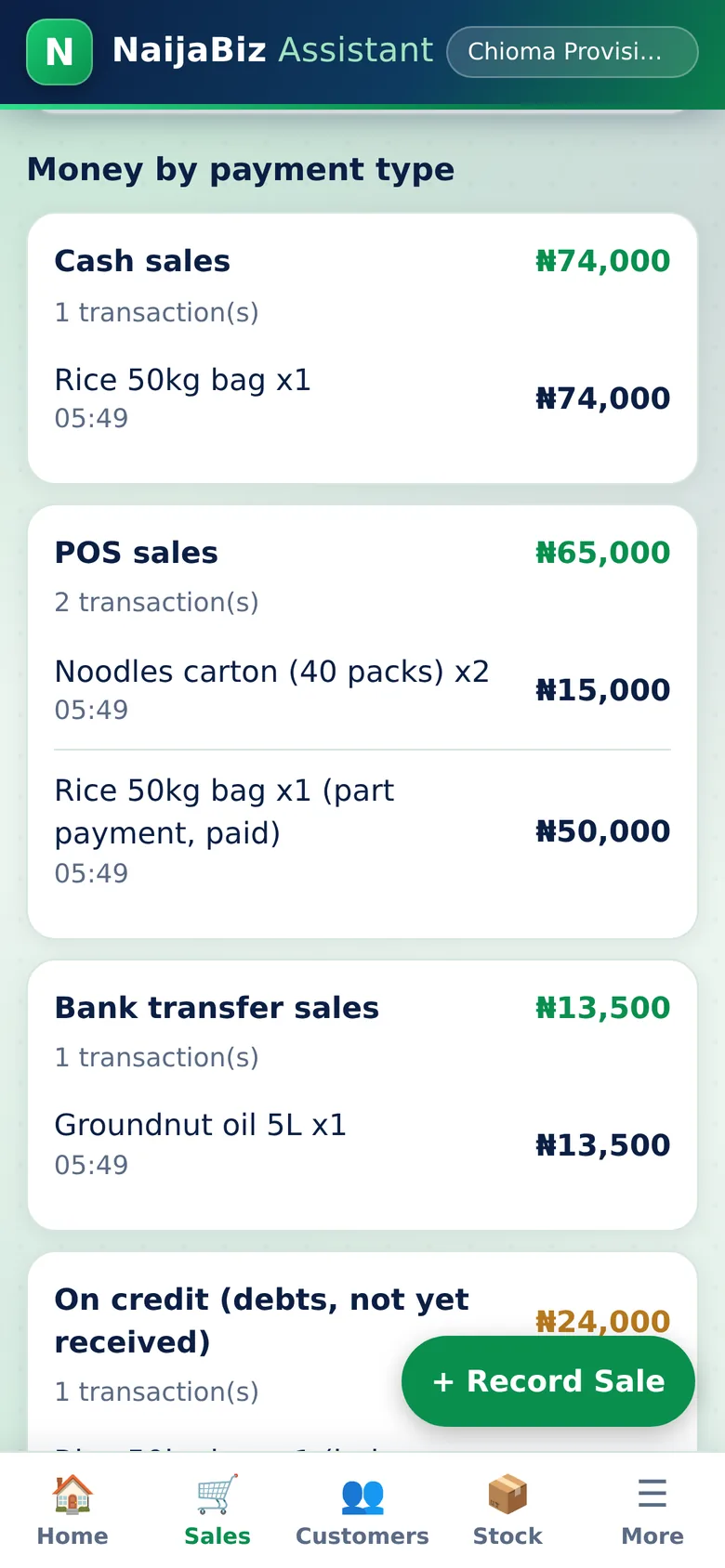
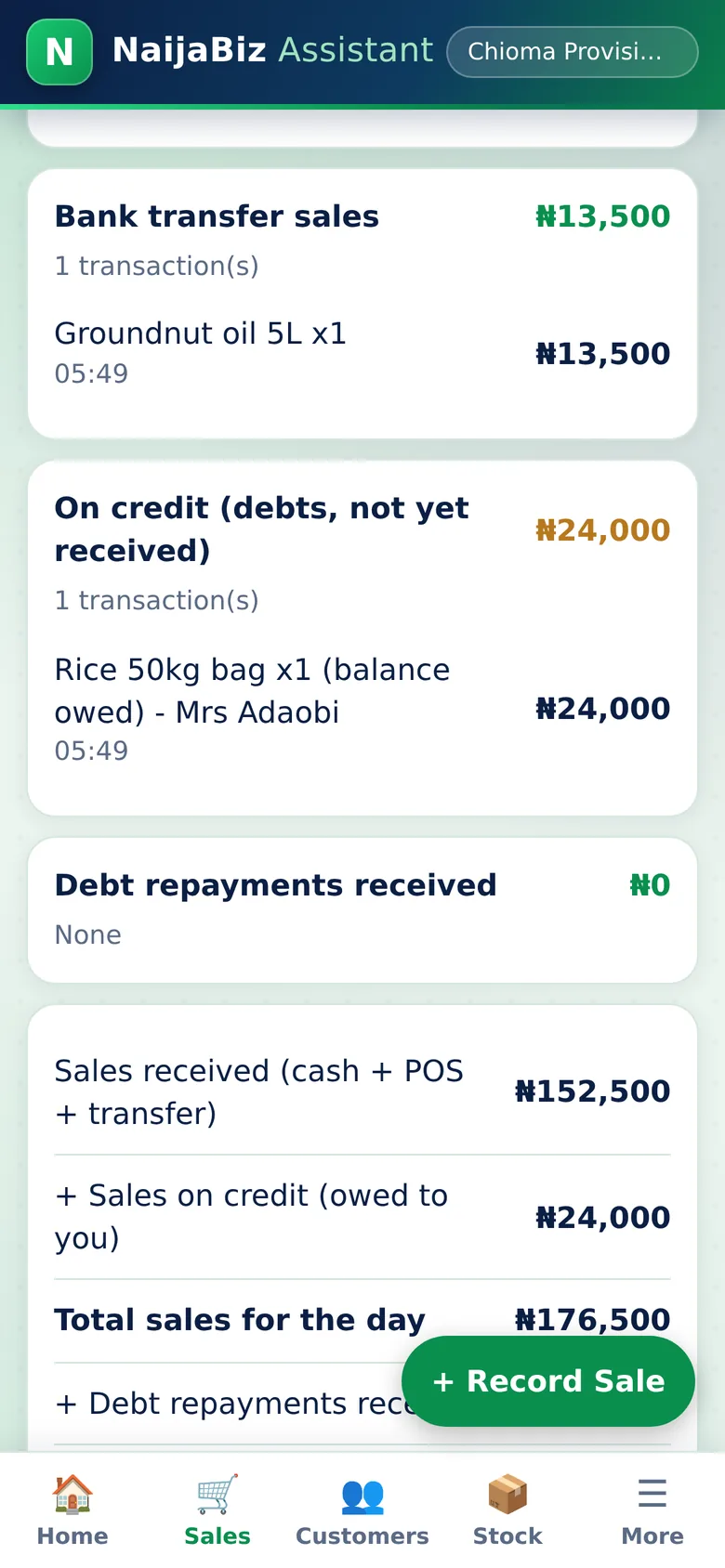
Sales for Any Day screen of NaijaBiz Assistant
Real screen from the app (sample data)
4. Daily check

Sales for Any Day

See exactly what was sold on a day, item by item.

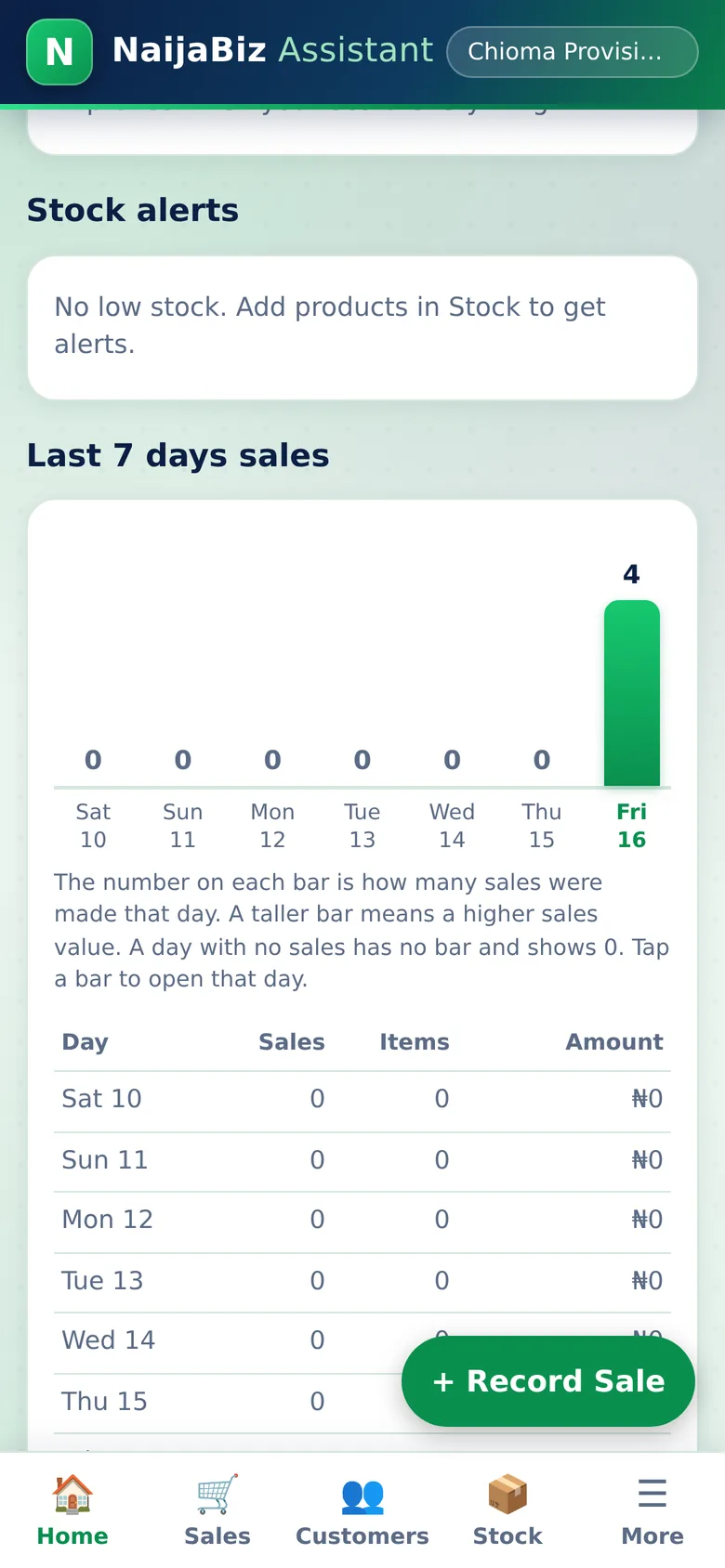
Pick any date and see how many items were sold, the sales total, and a list of each item with the quantity and the price it sold at. If the same product sold at two different prices that day, they appear on separate lines, so a price cut is easy to notice. Below, every transaction shows its time.

  • Items sold and sales total for the chosen day
  • Each item with quantity and price
  • Different prices for the same item shown separately
  • All recent sales with date and time, tap to view or delete
Why this protects your money: At closing time, compare the day's total with the cash, transfers and POS you actually received. If they do not match, you know the same day, not at the end of the month.
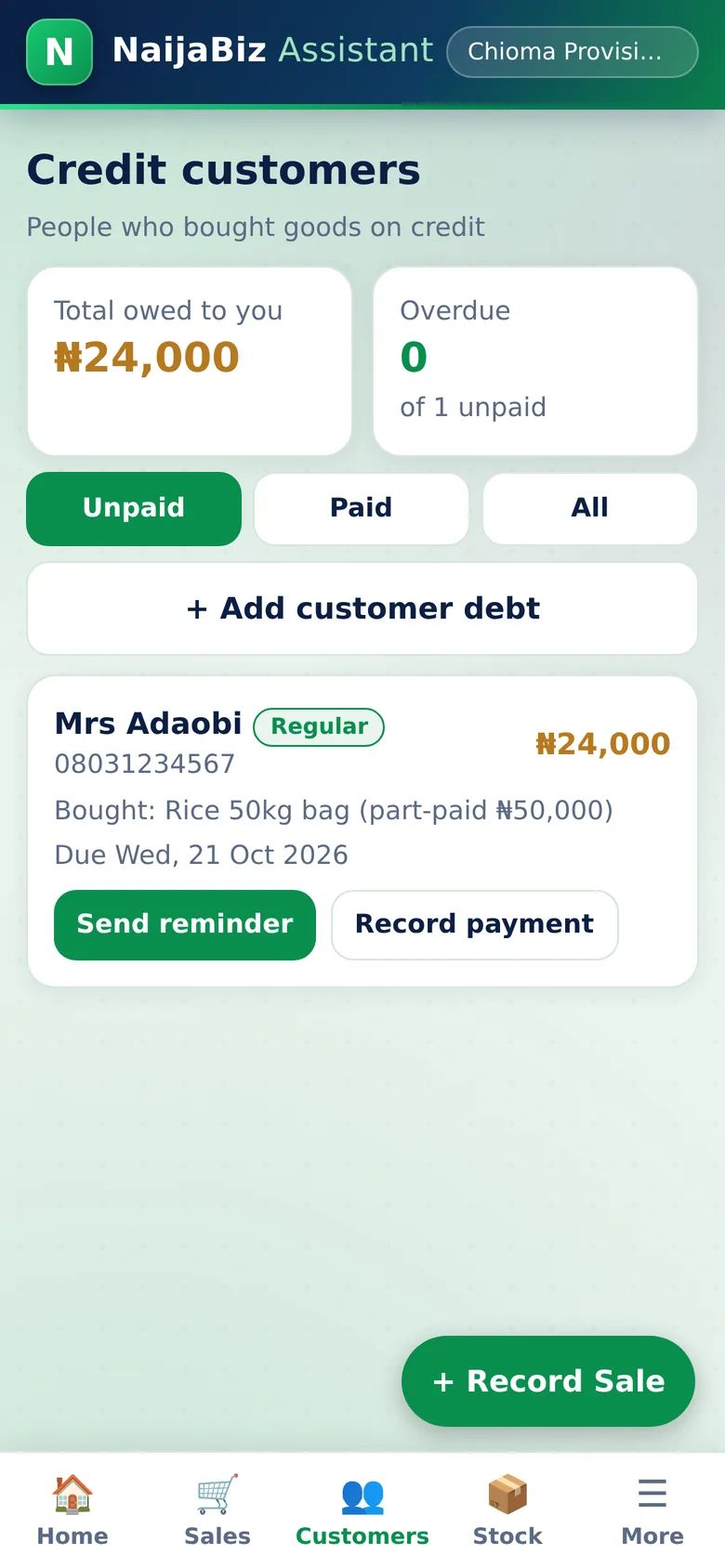
Credit Customers screen of NaijaBiz Assistant
Real screen from the app (sample data)
5. Debts

Credit Customers

Never forget who owes you again.

Every customer who bought on credit is listed with what they bought, how much they still owe, the due date, and a red OVERDUE mark when they are late. Record each repayment as it comes. Filter Unpaid, Paid or All, and tag customers so you know who to follow up first.

  • Total owed to you and number of overdue accounts
  • What each customer bought and their balance
  • Part repayments with the date paid
  • Tags: Regular, New, Wholesale, Friend / Family, Slow payer
Why this protects your money: Debts stop living in your head and in old chats. Goods given on credit to friends or staff are on record with a name, an amount and a date.
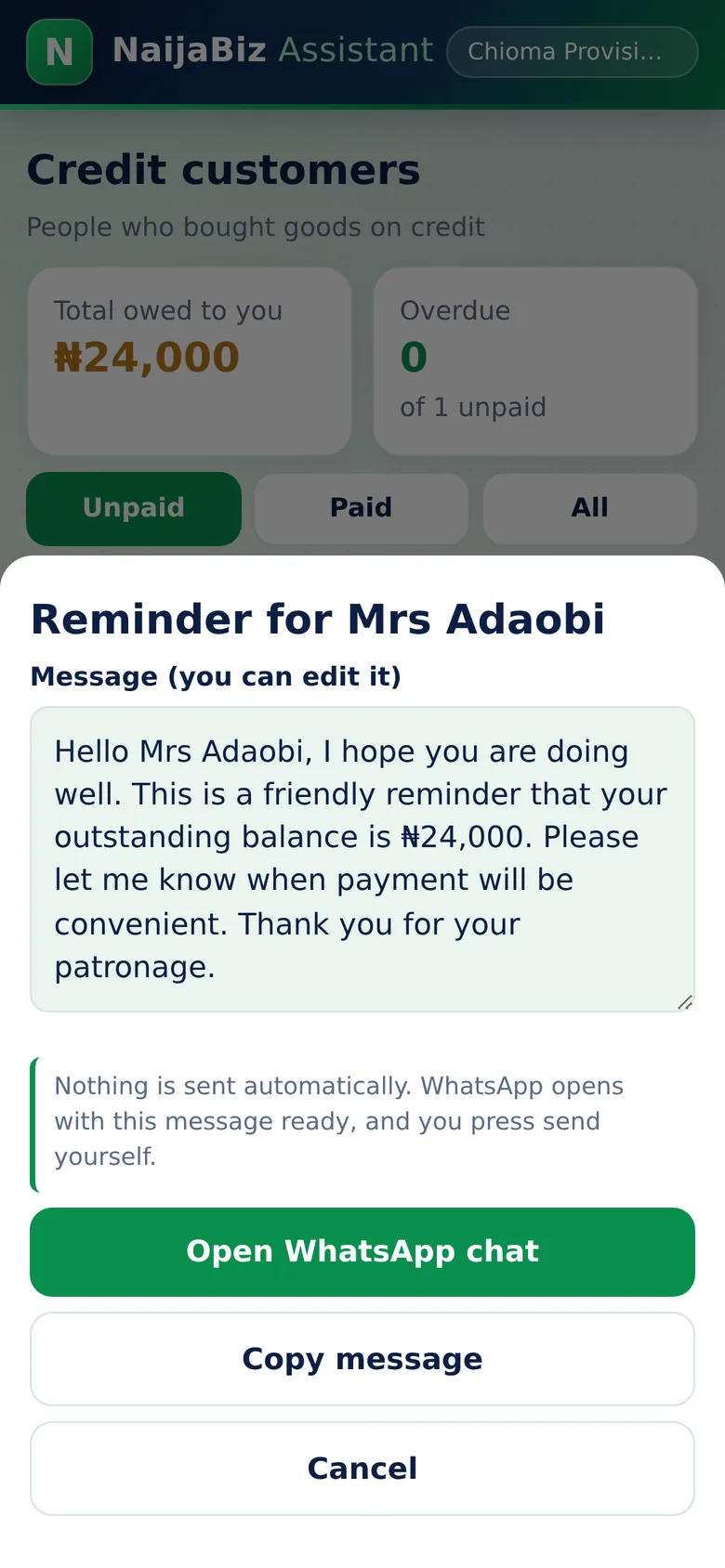
One-Tap WhatsApp Reminders screen of NaijaBiz Assistant
Real screen from the app (sample data)
6. Reminders

One-Tap WhatsApp Reminders

A polite reminder, ready to send, in one tap.

Tap Send reminder and a courteous message appears with the customer's name and exact balance. Edit it if you like, then tap Open WhatsApp chat. WhatsApp opens on that customer's chat with the message ready. You press send. The app never sends anything by itself.

  • Message filled in automatically
  • Works with Nigerian numbers such as 0803...
  • You stay in control and press send yourself
  • Copy the message if you prefer another app
Why this protects your money: Chasing debts becomes a 10-second job, so you actually do it, and money comes back sooner.
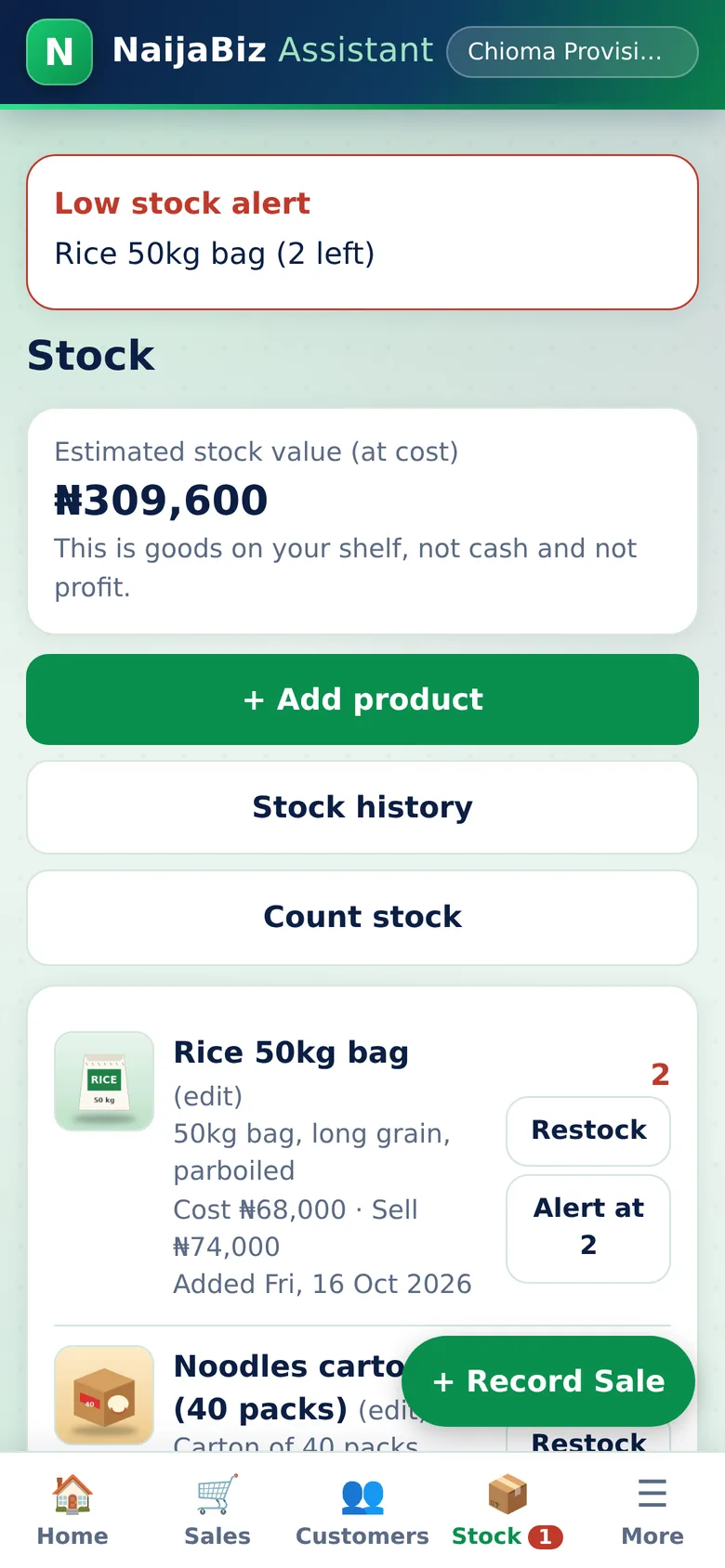
Stock and Low-Stock Alerts screen of NaijaBiz Assistant
Real screen from the app (sample data)
7. Stock

Stock and Low-Stock Alerts

Know what you have, and what is about to finish.

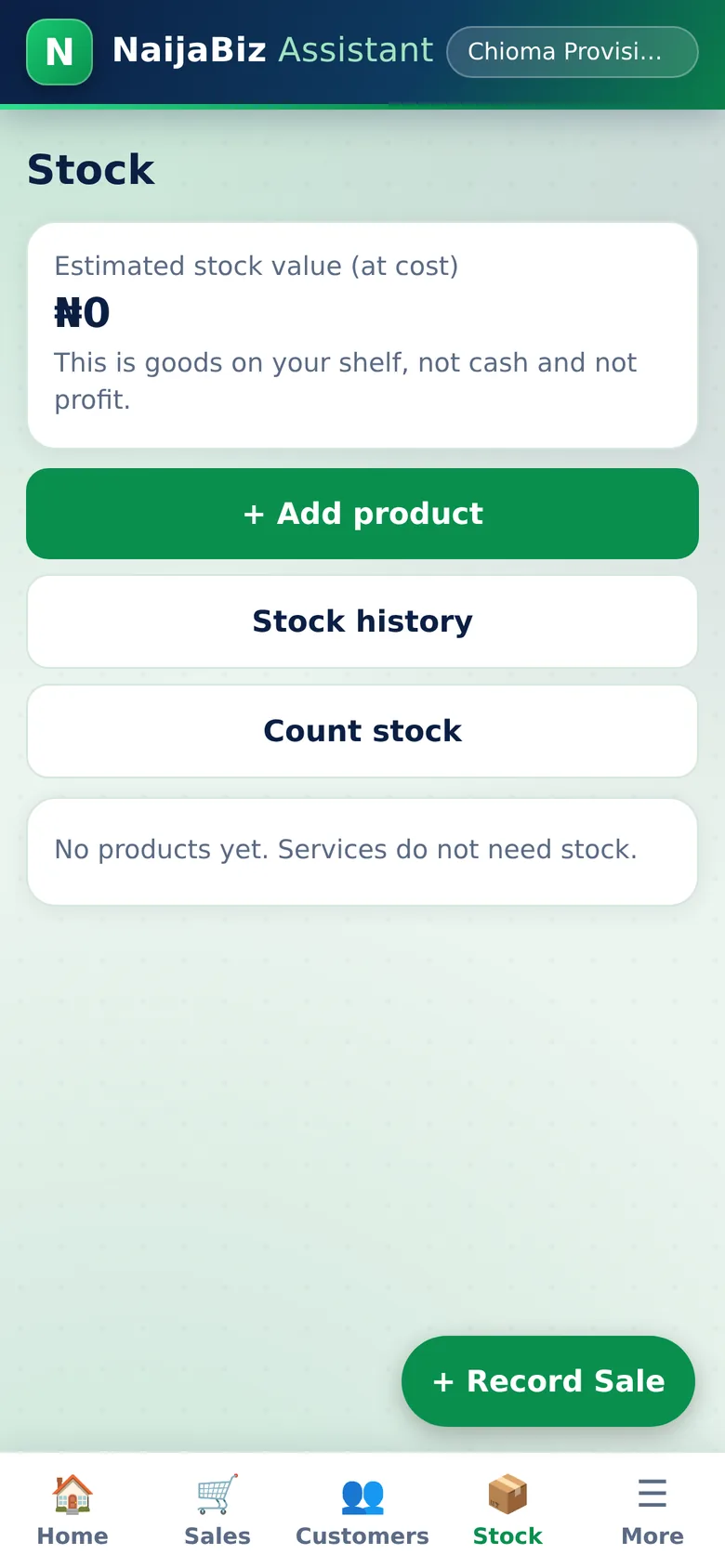
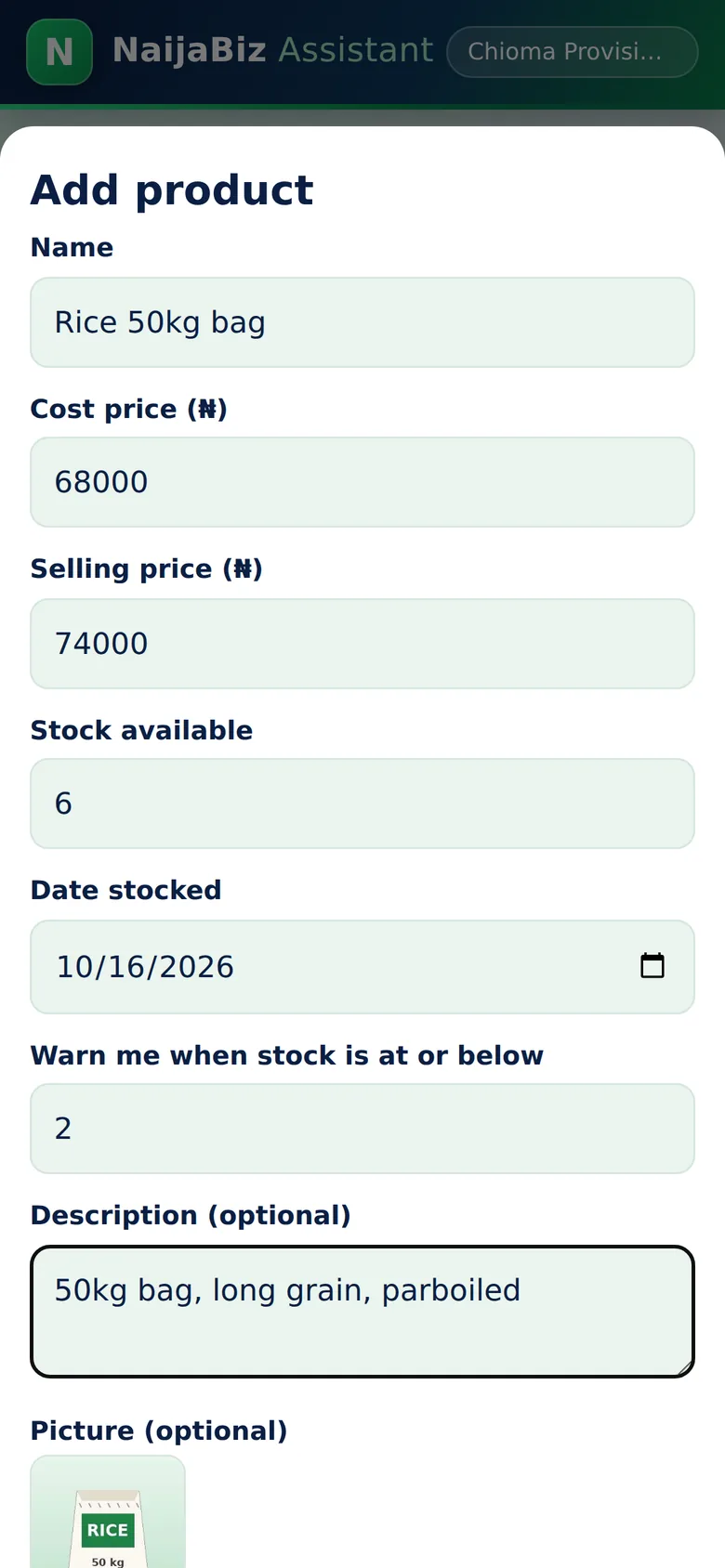
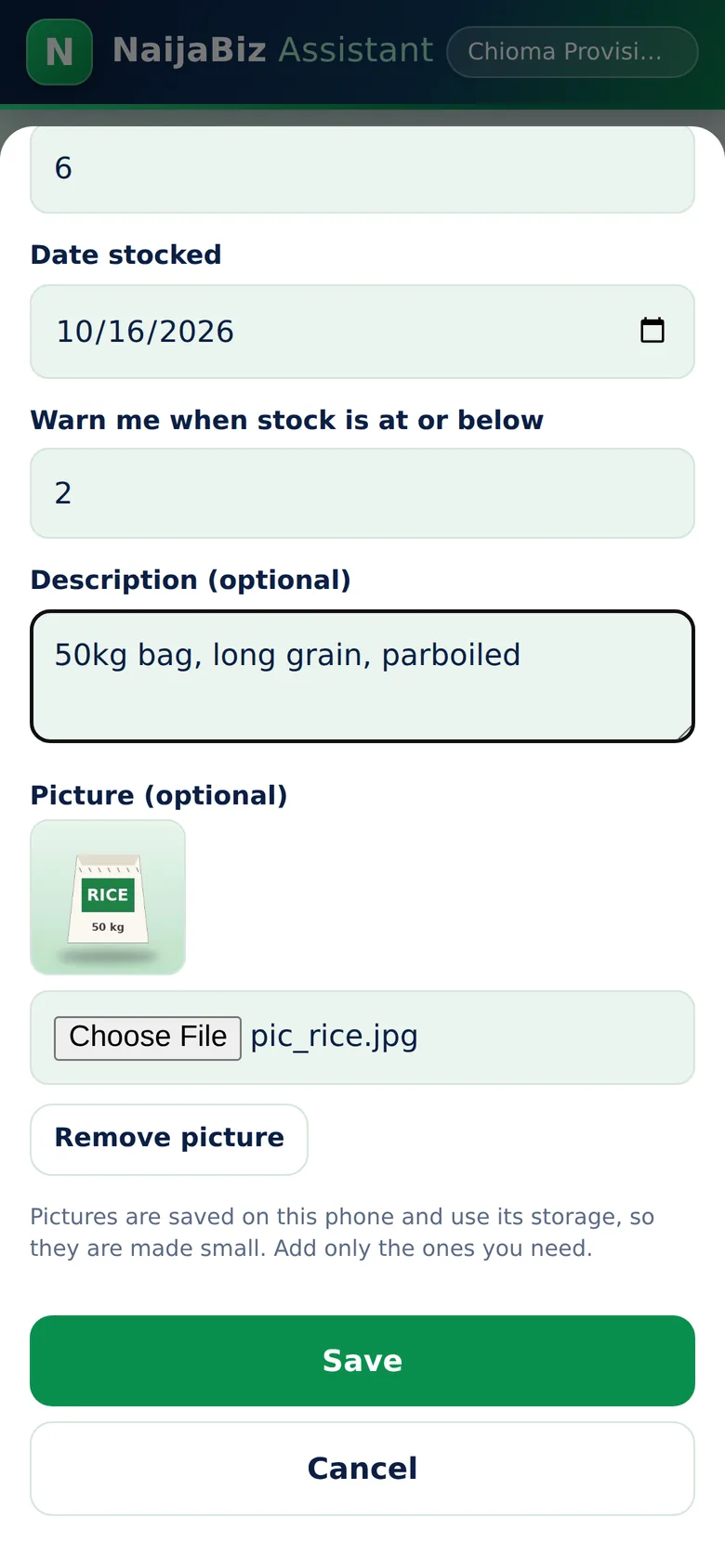
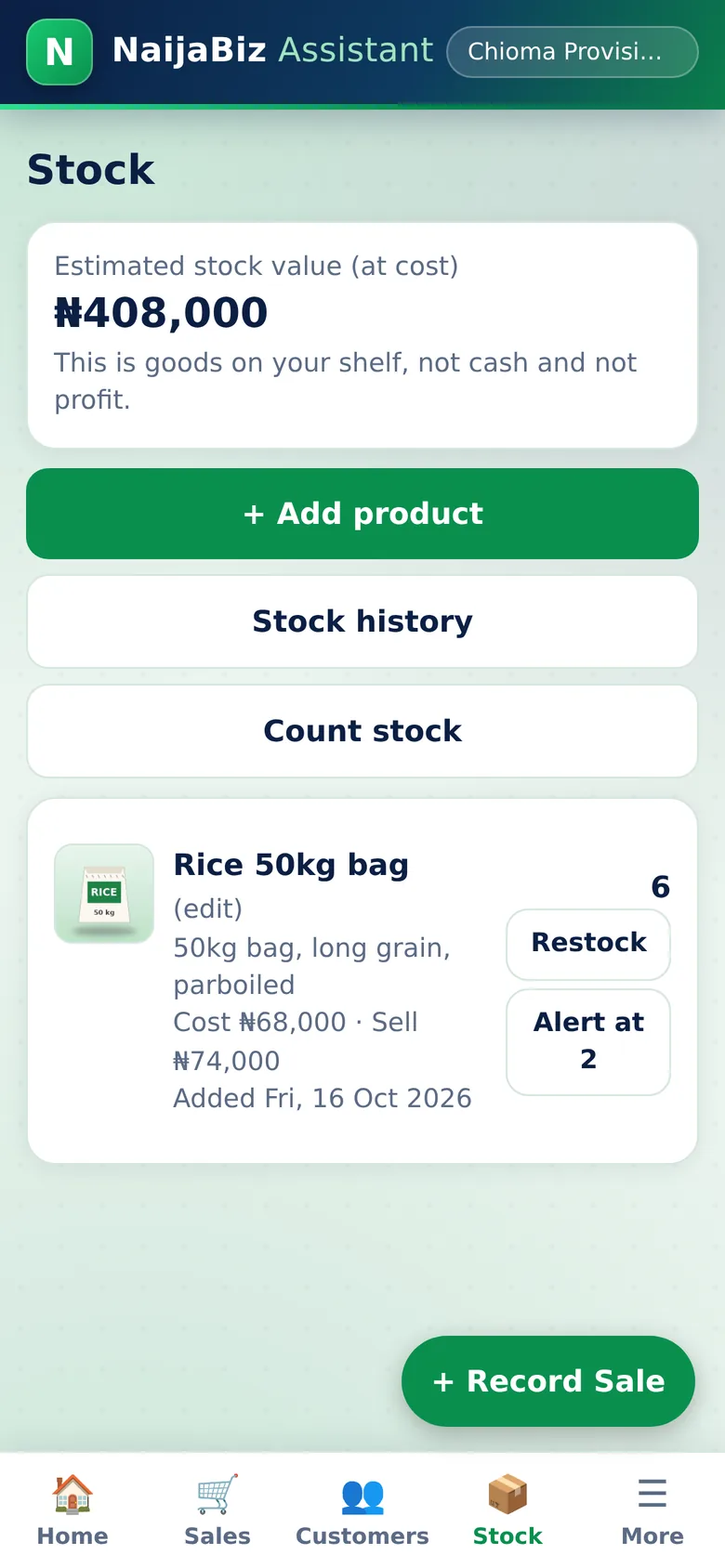
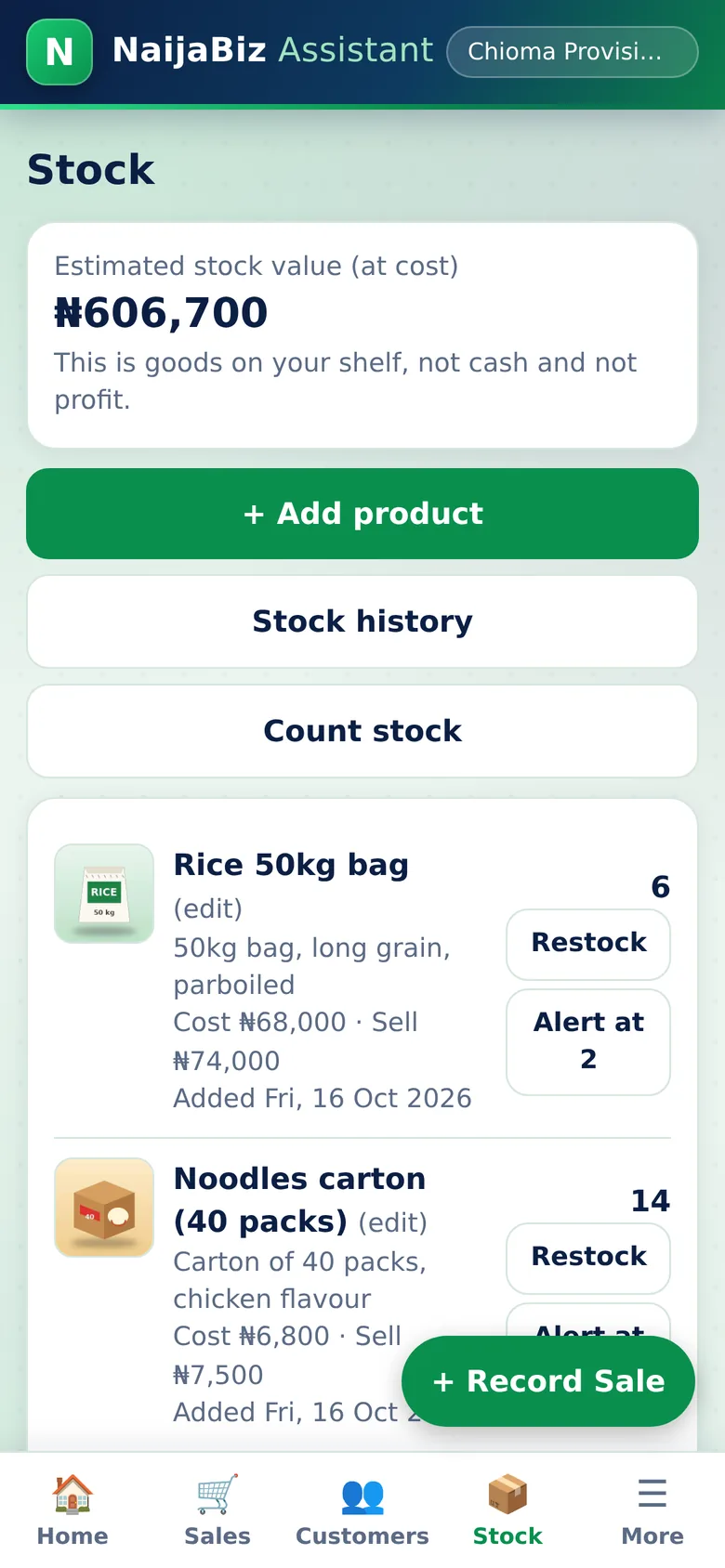
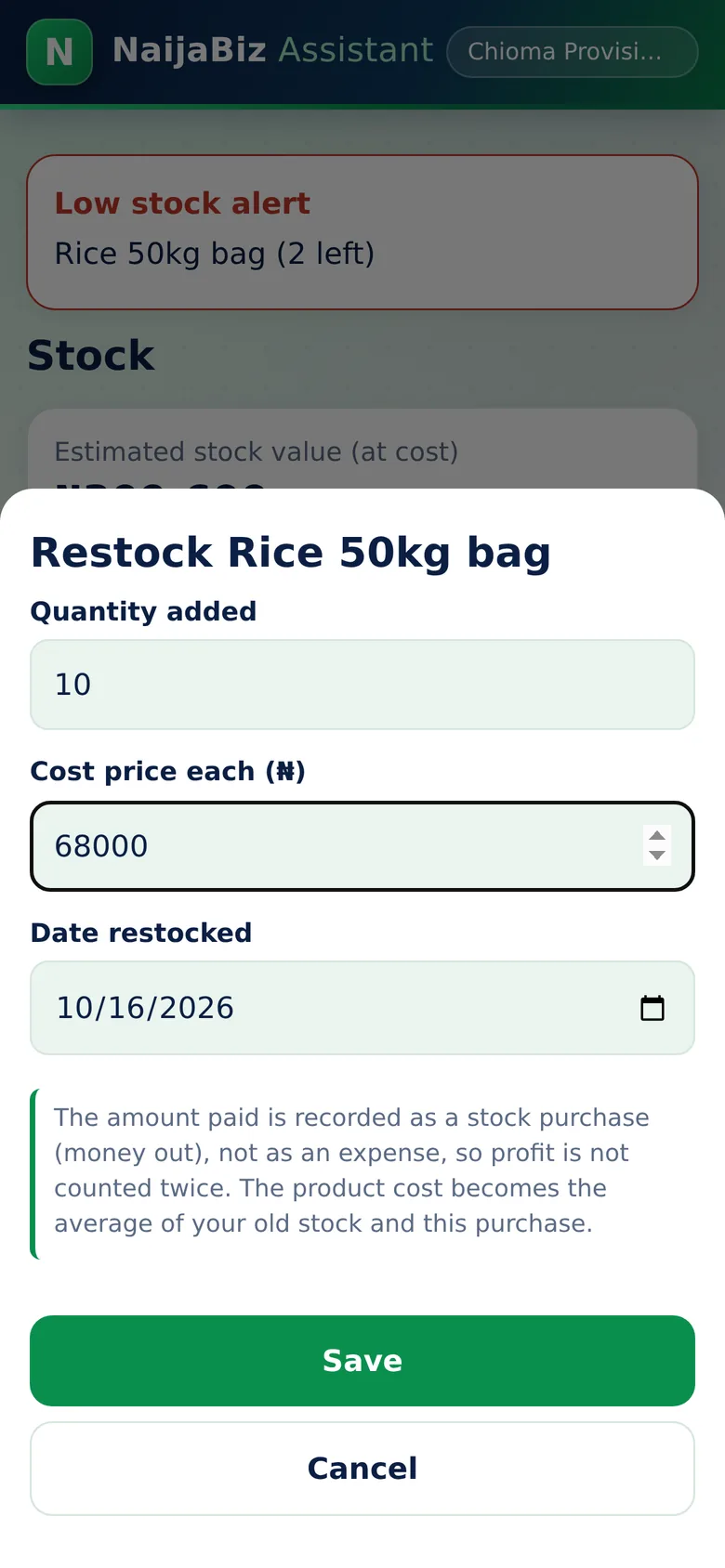
Add your products with cost price, selling price and quantity. Stock reduces automatically after every sale. Set an alert level for each product and the app warns you on screen and on the Stock tab when it is time to restock. See the value of everything on your shelves.

  • Stock value at cost price
  • Alert level you set per product
  • Restock in a few taps, with the date
  • Product added and last-restocked dates
Why this protects your money: The app always knows how much stock you should have. If the shelf count is lower, you have found a gap.
Stock History: Your Audit Trail screen of NaijaBiz Assistant
Real screen from the app (sample data)
8. Spot the gap

Stock History: Your Audit Trail

Every restock and every stock change, written down.

Each restock is recorded with quantity, cost and date. If anyone changes a stock number by hand, the app records the date, the old number, the new number and the reason typed in. The sample screen shows a shelf count that found 3 missing packs, written down with the date.

  • Restocks with quantity, unit cost and date
  • Manual stock changes with before, after and reason
  • Product added entries with opening stock
  • Newest first, easy to scroll through
Why this protects your money: Missing stock leaves a trail. You can see when it was found and what explanation was given. Gaps are noticed in days, not months.
Stock Count: Compare the Shelf with the App screen of NaijaBiz Assistant
Real screen from the app (sample data)
9. Stock count

Stock Count: Compare the Shelf with the App

Count the shelf. The app tells you what is missing.

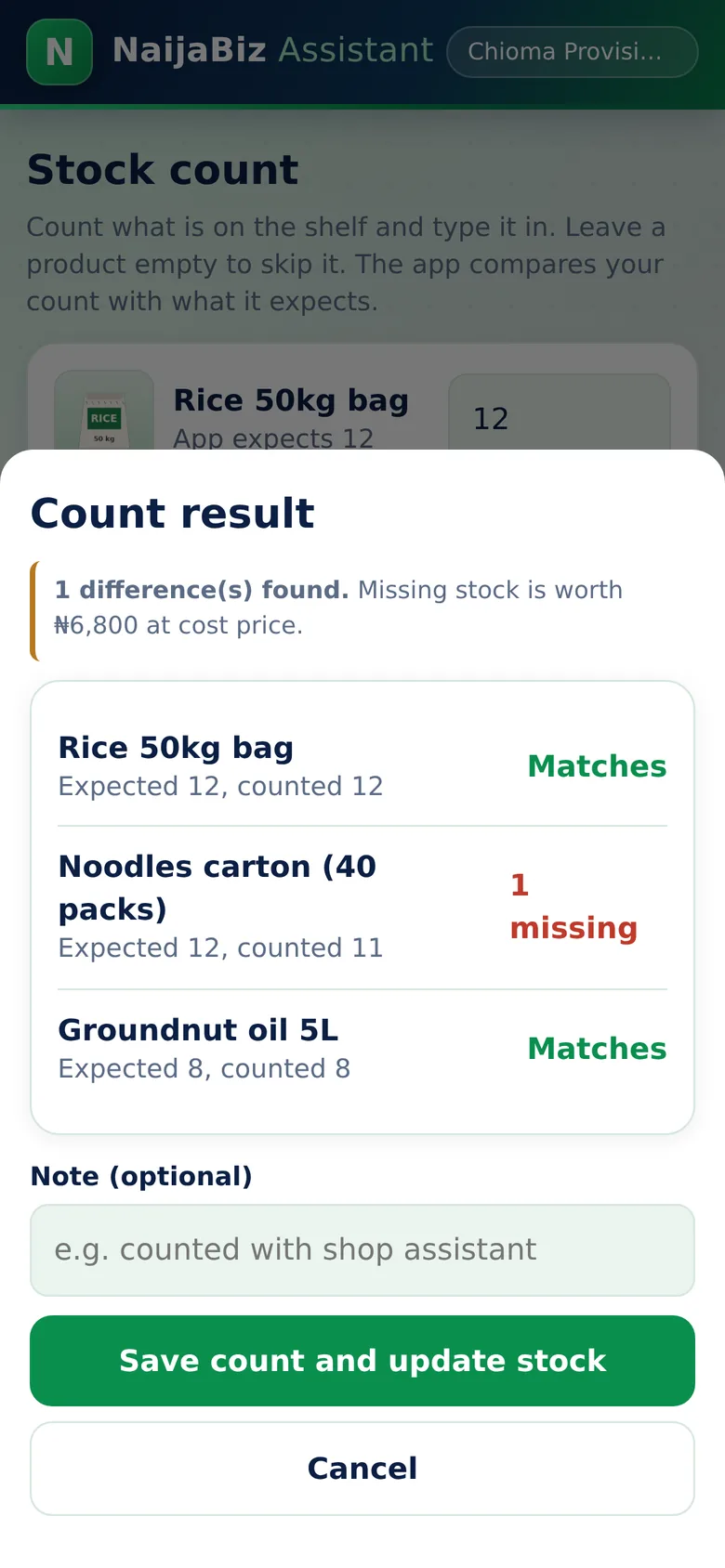
Type in what you find on the shelf for any products. The app compares your count with what it expects, shows which items match and which are missing or extra, and works out what the missing stock is worth at cost price. Save the count and the stock is corrected, with the date, the time and your note written down.

  • Count some or all of your products
  • Matches, missing and extra shown clearly
  • Missing stock valued at cost price
  • Saved with date, time and your note, and added to the stock history
Why this protects your money: A weekly ten-minute count of your best-selling items shows gaps while they are small, and every count is written down.
Deleted Records Log screen of NaijaBiz Assistant
Real screen from the app (sample data)
10. Deleted records

Deleted Records Log

Nothing disappears without a trace.

If a sale, an expense or a product is deleted, the app writes down what it was, the amount, and the date and time it was deleted. The list sits on the stock history page and cannot be edited or cleared from inside the app.

  • Deleted sales, expenses and products with their amounts
  • Date and time of each deletion
  • Cannot be edited inside the app
  • Included in the PDF report
Why this protects your money: Someone who hides a sale or an expense by deleting it leaves a record. Be honest with yourself: anyone holding your phone could still erase the whole app, so keep it on your own phone.
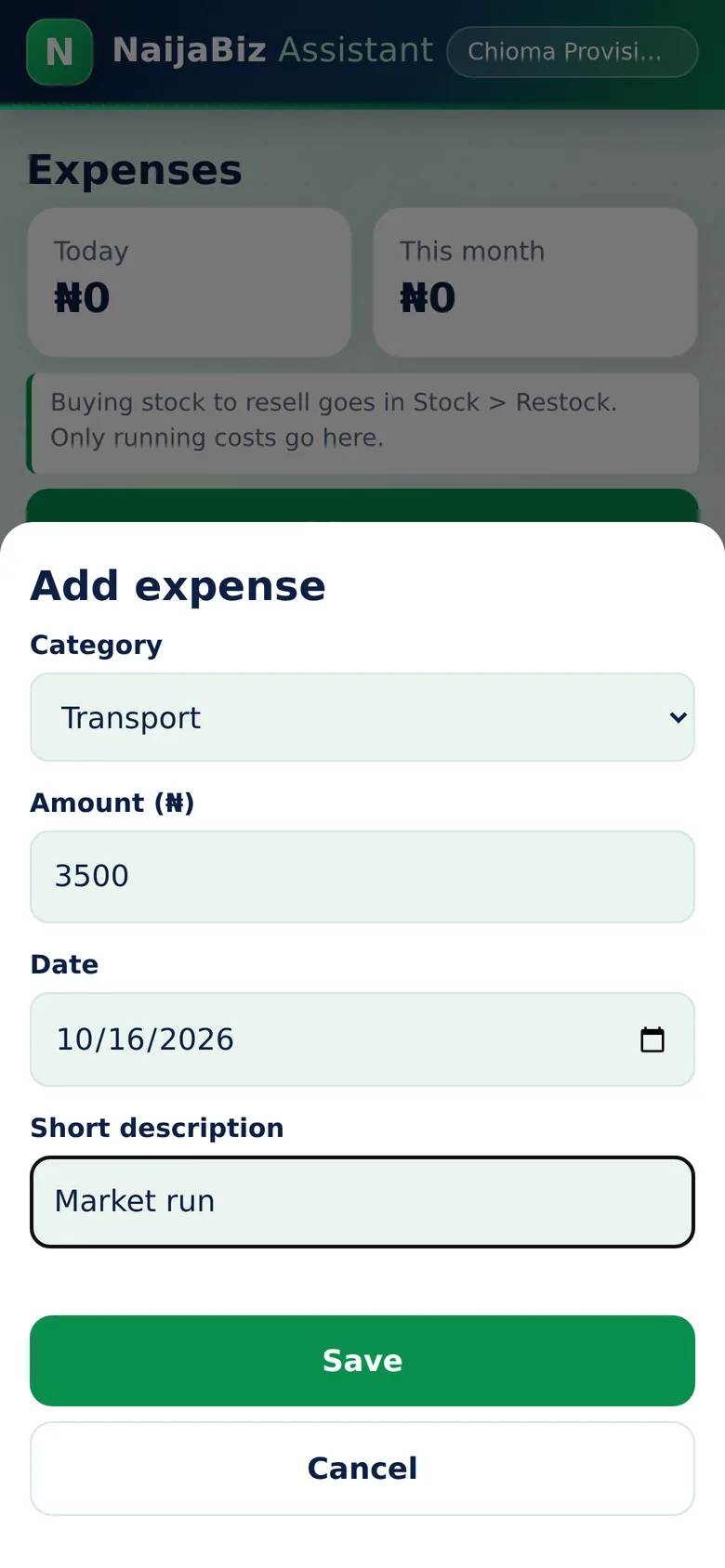
Expenses screen of NaijaBiz Assistant
Real screen from the app (sample data)
11. Expenses

Expenses

Know where the running money goes.

Record transport, electricity, rent, packaging, staff, data, loan interest and other costs with an amount, a date and a short note. See today's total and this month's total at a glance. Stock purchases are kept separate so your profit is never counted twice.

  • Ready-made categories
  • Date and note for every expense
  • Daily and monthly totals
  • Tap an expense to delete a mistake
Why this protects your money: Small daily costs add up fast. When they are written down, you can see which ones are eating your profit.
Smart Pricing Calculator screen of NaijaBiz Assistant
Real screen from the app (sample data)
12. Pricing

Smart Pricing Calculator

Set prices that really leave you a profit.

Enter what you paid, transport and other costs, and packaging. Choose the profit you want, as a margin or as a markup, and the app suggests a selling price and explains the calculation in plain English. It also warns you that markup and margin are not the same thing.

  • Purchase cost plus transport plus packaging
  • Profit margin or markup
  • Suggested price and profit per item
  • Plain-English explanation
Why this protects your money: No more guessing prices and finding out later that you sold at a loss.
Money I Borrowed screen of NaijaBiz Assistant
Real screen from the app (sample data)
13. Loans

Money I Borrowed

Track loans used to stock the business.

Record money borrowed from a bank, a person or a supplier, with the date, the repayment date and what it was for. Add repayments as you make them and always see how much you still owe. Borrowed money is not treated as income and repaying it is not treated as an expense.

  • Lender, amount, date and repay-by date
  • Repayments with dates
  • Balance still to repay on the home page
  • Interest and charges recorded under Expenses
Why this protects your money: You see the real cost of borrowing and the full picture of what the business owes.
Reports That Make Sense screen of NaijaBiz Assistant
Real screen from the app (sample data)
14. Reports

Reports That Make Sense

Daily, weekly and monthly: the numbers you need.

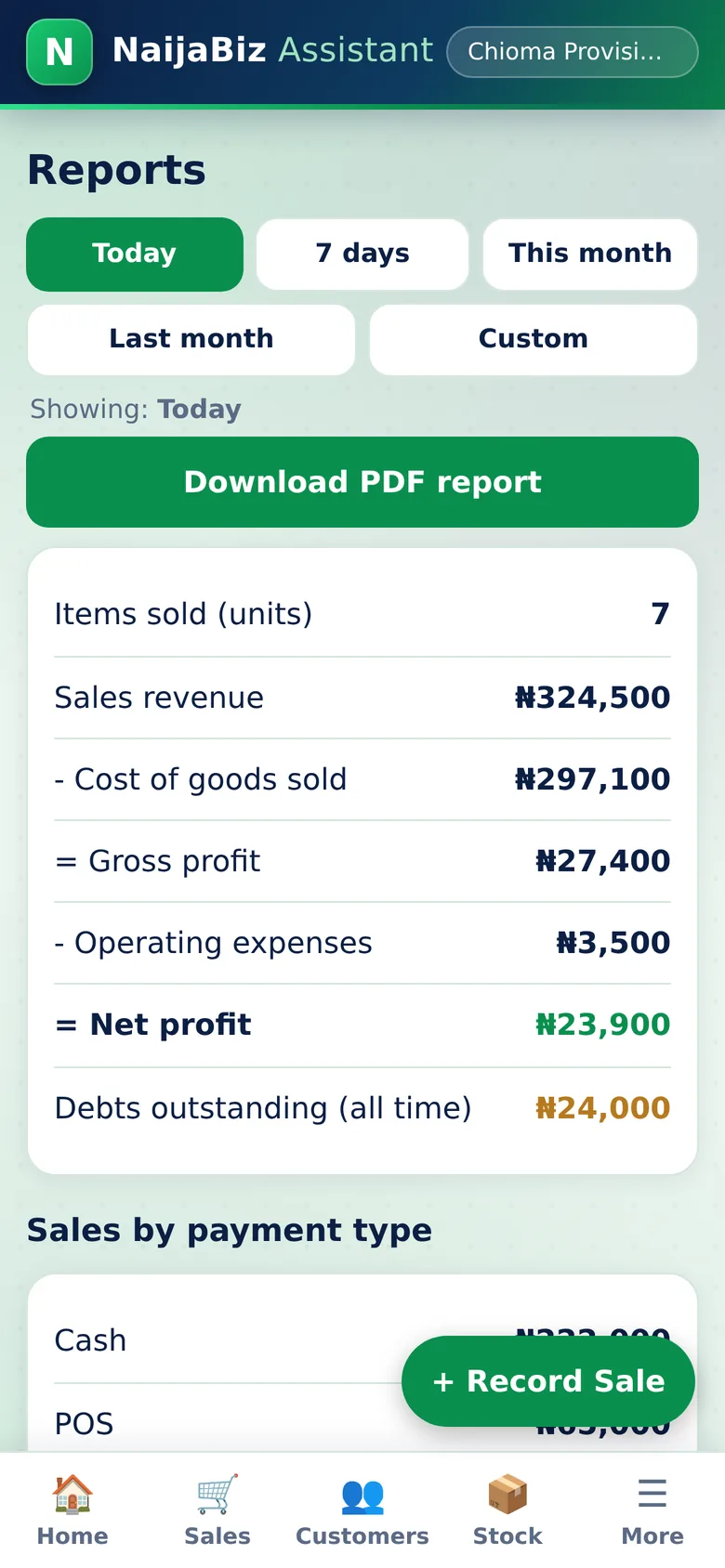
Choose Today, 7 days or This month. See items sold, sales revenue, cost of goods sold, gross profit, operating expenses and net profit in a clear order. Below that, see money in and money out, and your best-selling products. Cash movement is shown separately from profit, because they are different things.

  • Sales revenue minus cost of goods sold equals gross profit
  • Gross profit minus expenses equals net profit
  • Money received, credit given, repayments, stock bought, loans
  • Best sellers by sales value
  • One tap to download a PDF report
Why this protects your money: You find out whether the business really made money, and which products to focus on.
Backups, PDF and CSV screen of NaijaBiz Assistant
Real screen from the app (sample data)
15. Safe records

Backups, PDF and CSV

Your records are protected and always downloadable.

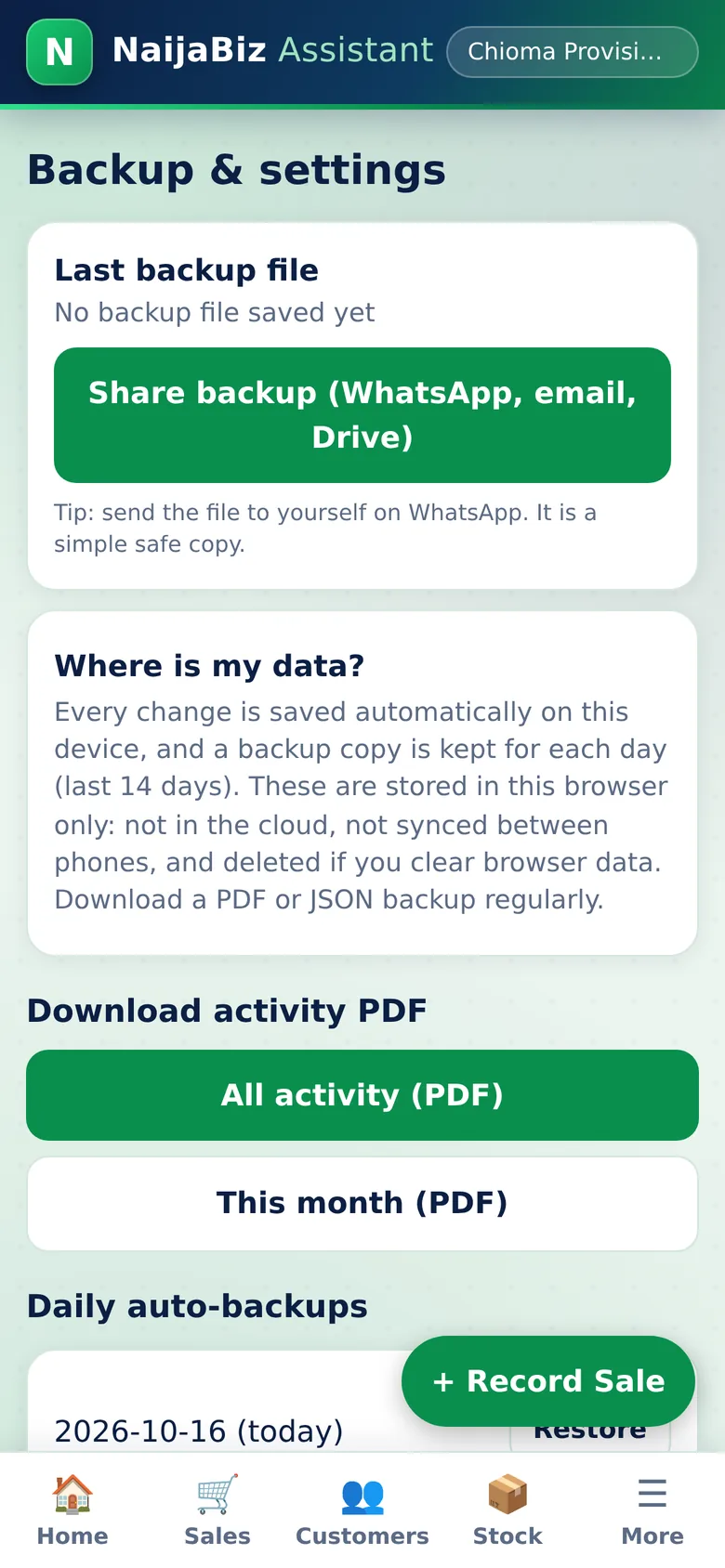
Every change is saved automatically on your phone and a daily backup is kept for the last 14 days. You can restore a day, download a PDF of all your activity with sales listed by day, export a CSV for a spreadsheet, or save a full backup file.

  • Automatic saving and daily backups
  • PDF with sales by day, items and prices
  • CSV export and full backup file
  • Restore with a safety copy kept first
Why this protects your money: You have proof of your activity, and you can restore records after a mistake. Download a backup now and then, because records live on your own phone.
A simple routine

Five minutes a day is enough.

During the day

Record each sale as it happens. Add expenses when you pay them.

At closing time

Open Sales for the day. Compare the total with the money you received. Check the low-stock alert.

Once a week

Count a few key items on the shelf and compare with the app. Follow up overdue customers with one tap.

Once a month

Open Reports for the month, download the PDF, and see your real profit and best sellers.

Why switch

Notebook, memory, or NaijaBiz?

Notebook / memoryNaijaBiz Assistant
Know today's profitGuessCalculated for you
Stock countCount everything by handUpdates after every sale
Customer debtsScattered chats and pagesOne list, overdue flagged
RemindersTyping each messageOne tap to WhatsApp
Missing stockFound at month-end, if at allVisible in the stock history
Deleted or changed recordsNo record keptLogged with date and time
ReportsHours of adding upInstant, with PDF download
Lost or damaged notebookRecords goneDaily backups on the phone
Who it is for

If you sell, you can use it.

Market traders & shop ownersWhatsApp & Instagram vendorsFashion designersFood vendors & restaurantsSalons & barbershopsProvision storesPhone & accessories sellersFreelancers & servicesFirst-time business owners
Simple pricing

One payment. No monthly fees.

NaijaBiz Assistant
₦5,000

One-time payment for lifetime access to this version of the app.

Starting price. The price may increase in future.

  • The full app, every screen shown above
  • Dashboard, sales, part payments, credit customers, WhatsApp reminders
  • Stock with alerts, a stock count check, stock history and a deleted-records log
  • Expenses, pricing calculator, loans tracker
  • Reports, PDF and CSV downloads, daily backups
  • Works offline once installed
  • Bug fixes for this version
Get NaijaBiz Assistant — ₦5,000

Secure payment with Paystack. We never see or store your card details.

All payments are final and non-refundable. Please read the terms below before you buy.

How you get your app

  1. Pay securely on Paystack. Use your WhatsApp number or email so we can reach you.
  2. We confirm your payment on our Paystack account, then send your private access link and simple install steps by WhatsApp or email.
  3. Open the link on your phone and tap Add to Home Screen. Done.

Delivery is done by hand, so it is not instant. If you have not heard from us, message us with your payment details.

Be clear on what is not included

  • Cloud storage or syncing between phones. Your records live on your own device
  • Separate staff logins or permissions
  • Future paid services or major new versions, if offered, are separate
  • Accountant or tax advice

Honest answers to your questions

Can it stop my staff from stealing?

No app can stop dishonesty on its own. NaijaBiz Assistant makes missing stock and missing money much easier to notice: stock updates after every sale, sales have dates, times and prices, every manual stock change is recorded with a reason, stock counts compare the shelf with the app, and deleted sales or expenses are written down in a log. Keep the app on your own phone, or check it daily.

Is it suitable for a very small business?

Yes. It was designed for one-person businesses first: a shop, a WhatsApp page, a stall. Start with just your daily sales.

Do I need accounting knowledge?

No. Everything is in plain English with naira examples, and there is a Help Me Understand section.

Can I use it on my Android phone? Do I need a laptop?

You only need a phone with a browser. Open your link, tap Add to Home Screen, and it works like an app. It also works on iPhones and computers.

Does it work without internet?

After you open it once and add it to your home screen, it opens and works without internet. Opening a WhatsApp chat or downloading files from the internet needs data.

Can I track customers who buy on credit?

Yes. Record a credit sale or a part payment and the balance is tracked per customer, with due dates, overdue flags and one-tap WhatsApp reminders.

What happens to my business records?

They are saved on your own device automatically, with a daily backup kept for 14 days. They are not uploaded to us. Download a PDF or backup file regularly, because clearing browser data or losing your phone can remove records that were not backed up.

Can I use it on more than one phone?

Each phone keeps its own records. There is no syncing between phones in this version.

How do I receive the app after payment?

We confirm your payment ourselves, then send your private access link and short install steps by WhatsApp or email. Delivery is by hand, so it is not instant.

Is it a subscription?

No. It is a single payment of ₦5,000 for lifetime access to this version. This is the starting price and it may increase in future.

Can I get a refund?

No. All payments are final and non-refundable once your access link has been sent. Please read this page carefully and ask any questions before you buy.

Does it guarantee more profit?

No app can. NaijaBiz Assistant shows you your numbers clearly so you can make better decisions. Results depend on how accurately you record and what you do with the information. It is a record-keeping tool, not a replacement for a professional accountant or tax adviser.

Built with care, in Nigeria

Why you can trust it

Edeh Franklin, creator of NaijaBiz Assistant
Edeh Franklin
Creator of NaijaBiz Assistant

NaijaBiz Assistant was created by Edeh Franklin to solve a problem he sees in everyday Nigerian businesses: people work hard but cannot see their money clearly. No invented reviews or fake numbers here. Just a clear price, a clear description of what you get, and an honest list of what it does not do.

Your privacy: your business records stay on your device. We collect only what is needed to confirm your payment and send your access link.

Chat on WhatsApp

Contact: add your contact details

Terms of purchase and use

  • No refunds. All payments for NaijaBiz Assistant are final and non-refundable once your access link has been sent.
  • No copying. You may not copy, resell, share, redistribute or reverse-engineer the app, its design, text or code, or pass your private access link to other people.
  • All rights reserved. NaijaBiz Assistant is created and owned by Edeh Franklin. Your purchase gives you a personal licence to use the app for your own business. It does not transfer ownership.
  • Your records. Your business records are stored on your own device. Keeping regular backups is your responsibility.
  • Not professional advice. The app is a record-keeping tool. It is not accounting, legal or tax advice, and it does not guarantee any profit.

Give Your Business a Clearer Picture of Its Money.

Stop guessing. Start knowing.

₦5,000
One-time. Starting price.
Get the app